
|
Do it yourself
| |||
| ||||


Audi A1 - Onboard computerOnboard Computer Audi A1 (2018-2025 / mk 2, gb) Audi A1 (2018-2025 / MK 2, GB)
How to Install a Parking Camera on an Audi A1 Let’s see how to install a handle with an integrated camera on an Audi A1. To do this, you need to completely dismantle the rear tailgate, removing the …Read all… Posted on 20 March 2026 by ScegliAuto  Audi A1 (2018-2025 / MK 2, GB)
How to restart the multimedia system in the Audi A1? In this tutorial we can see how to restart the onboard computer, known as MMI, in the Audi A1, an extremely simple and quick operation, to be carried out for …Read all… Posted on 8 June 2025 by ScegliAuto  Audi A1 (2018-2025 / MK 2, GB)
How to activate Apple CarPlay on the MMI multimedia system of an Audi A1? To activate Apple CarPlay on the MMI multimedia system of an Audi A1, start by accessing the "Connected devices" or "Bluetooth" section in the MMI system menu. …Read all… Posted on 13 December 2024 by ScegliAuto  Audi A1 (2010-2018 / 8X, MK 1)
How to change the language of the onboard computer of the Audi A1 Setting a different language on the onboard computer of an Audi A1 is a simple and quick operation to be carried out independently. To perform this operation, …Read all… Posted on 20 October 2024 by ScegliAuto  Audi A1 (2010-2018 / 8X, MK 1)
How to permanently deactivate the Start and Stop system of the Audi A1 The Start and Stop system can be deactivated on Audi A1 vehicles by pressing the appropriate button on the central dashboard near the onboard computer display. …Read all… Posted on 19 June 2024 by ScegliAuto 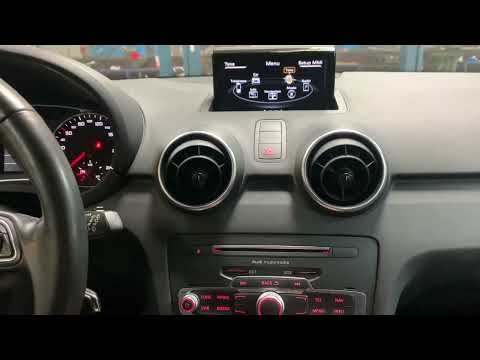 Audi A1 (2010-2018 / 8X, MK 1)
How to Change the Menu Language on a 2016 Audi A1 In this video tutorial, you will see how to change the menu language on a 2016 Audi A1 by following some simple steps: get inside the vehicle, turn on the …Read all… Posted on 14 August 2026 by ScegliAuto Onboard Computer Audi A1 (2010-2018 / 8 x, mk 1)
Audi A1 (2018-2025 / MK 2, GB)How to Install a Parking Camera on an Audi A1 Let’s see how to install a handle with an integrated camera on an Audi A1. To do this, you need to completely dismantle the rear tailgate, removing the …Read all… Posted on 20 March 2026 by ScegliAuto
Audi A1 (2018-2025 / MK 2, GB)How to restart the multimedia system in the Audi A1? In this tutorial we can see how to restart the onboard computer, known as MMI, in the Audi A1, an extremely simple and quick operation, to be carried out for …Read all… Posted on 8 June 2025 by ScegliAuto
Audi A1 (2018-2025 / MK 2, GB)How to activate Apple CarPlay on the MMI multimedia system of an Audi A1? To activate Apple CarPlay on the MMI multimedia system of an Audi A1, start by accessing the "Connected devices" or "Bluetooth" section in the MMI system menu. …Read all… Posted on 13 December 2024 by ScegliAuto
Audi A1 (2010-2018 / 8X, MK 1)How to change the language of the onboard computer of the Audi A1 Setting a different language on the onboard computer of an Audi A1 is a simple and quick operation to be carried out independently. To perform this operation, …Read all… Posted on 20 October 2024 by ScegliAuto
Audi A1 (2010-2018 / 8X, MK 1)How to permanently deactivate the Start and Stop system of the Audi A1 The Start and Stop system can be deactivated on Audi A1 vehicles by pressing the appropriate button on the central dashboard near the onboard computer display. …Read all… Posted on 19 June 2024 by ScegliAuto
Audi A1 (2010-2018 / 8X, MK 1)How to Change the Menu Language on a 2016 Audi A1 In this video tutorial, you will see how to change the menu language on a 2016 Audi A1 by following some simple steps: get inside the vehicle, turn on the …Read all… Posted on 14 August 2026 by ScegliAuto Airbag (6) Antenna (1) Car stereo (3) Battery (2) Grille (1) Body (3) Control unit (1) Key (17) Timing belt (2) Air conditioner (1) Onboard computer (6) Checks and maintenance (13) Dashboard (1) Headlight (9) Tail light (1) Fog lights (1) Air filter (1) Cabin air filter (9) Diesel fuel filter (1) Oil filter (1) Parking brake (1) Window switch (1) Accessory kit (1) Light bulb (1) Headlight bulb (11) Tail light bulb (4) Interior dome light bulb (1) Handle (2) Exhaust muffler (1) Engine oil (1) Clock (11) Door trim panel (4) Front bumper (2) Brake pads (1) Instrument cluster (1) Heater core (1) Wheel (1) Fuse box (36) Seat (1) Brake system (1) Side mirror (2) Warning light – error code (11) (16) Tire pressure warning light (7) Service warning light (47) Fuel cap (6) |
How to open the fuel tank door in the Hyundai I20?
In this tutorial we can see how to open the fuel tank door in the Hyundai I20, a very simple operation similar to the typical procedure of many vehicles. First of all, let's go inside the cabin, it is not necessary to insert the key or unlock all the locks, then we locate and operate the lever located in the lower left area of the cabin, right next to the driver's seat. Once we have done this, we exit the vehicle, open the door completely and unscrew the fuel tank cap. To close the door, simply press it gently until you hear a click. by ScegliAuto More videos
|
|
For advertising on this site Write to info@scegliauto.com
ScegliAuto is not responsible for any inaccuracy of the data in the lists. To report any inaccuracy or your business (if you own the business in question), please write to info@scegliauto.com
Number of seconds to generate the page: 0.011
(c) ScegliAuto 2026 - info@scegliauto.com - Privacy policy VAT number: IT01247470535 |
