
|
Do it yourself
| |||
| ||||



How do you reset the MMI system of Audi?
Model: Audi A3
8V, MK 3
- Years:
2012, 2013, 2014, 2015, 2016, 2017, 2018, 2019
Video tutorial
To restart the MMI system of the Audi A3, you need to insert the ignition key into the corresponding slot: once it is turned on, you can proceed by holding down the NAV/MAP and RADIO buttons located on the center console of the car. After a few seconds with these buttons pressed, you will also need to hold down the knob that allows you to scroll through the menu displayed on the screen: this way you will notice that the screen will turn off completely and you will be able to complete the system reset.
Posted on 5 February 2025 by ScegliAuto
Related tutorials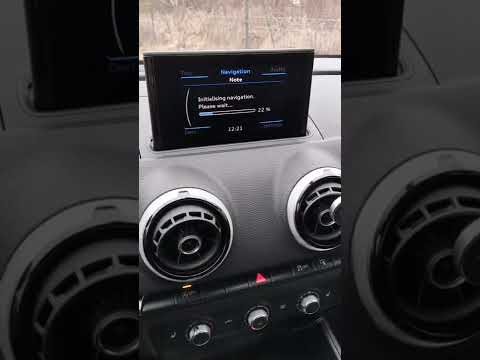
Audi A3
(2020-2026 /
MK 4, 8Y)
The Audi MMI (Multi Media Interface) system is a useful and effective system: it simplifies audio controls, vehicle settings, and navigation, all und…

Audi A3
(2012-2019 /
8V, MK 3)
Resetting the MMI is extremely difficult to do on your own, as it requires specialized equipment and knowledge of the system. It is therefore necessa…

Audi A3
(2012-2019 /
8V, MK 3)
In this video, we can see how to restart the MMI system of an Audi A3 8V. The MMI is nothing but the infotainment system (Multi Media Interface), and…
Other guides you may be interested in |
Where is the Battery Located on the Toyota Hybrid Yaris?
Unlike many Toyota models, the Hybrid Yaris places the battery inside the vehicle. The battery of the Toyota Hybrid Yaris is located within the cabin, specifically under the right rear seat. If you need to access the battery, you must remove the rear seat, the screws securing the cover, and the hard plastic cover. Once these obstacles are removed, you can access the battery compartment and perform the necessary maintenance. Remember, if you need to disconnect the battery, always remove the positive terminal first, followed by the negative. by ScegliAuto More videos
|
|
For advertising on this site Write to info@scegliauto.com
ScegliAuto is not responsible for any inaccuracy of the data in the lists. To report any inaccuracy or your business (if you own the business in question), please write to info@scegliauto.com
Number of seconds to generate the page: 0.134
(c) ScegliAuto 2026 - info@scegliauto.com - Privacy policy VAT number: IT01247470535 |
