
|
Do it yourself
| |||
| ||||


How to reset the oil light on the 2017 Audi A4
Model: Audi A4
B9
- Years 2014-2024
If you own a 2017 Audi A4 and want to independently reset the engine oil light that does not turn off after changing the oil and filter, simply follow the steps described below. First, turn on the instrument panel and then use the infotainment system to enter the settings menu and select the "Vehicle" option. Next, click on "Servicing & checks" and then select "Service intervals". Finally, choose the "Reset oil change interval" option and complete the reset procedure for the light.
Posted on 16 March 2025 by ScegliAuto
Video tutorial
Related tutorials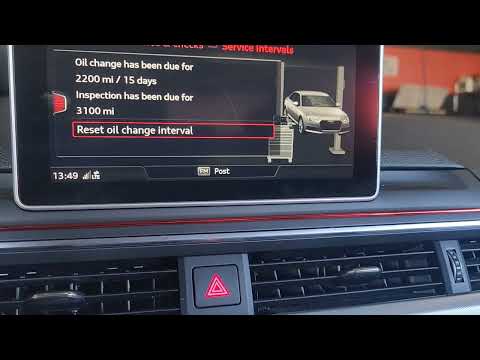
Audi A4
(2014-2024 /
B9)
If you want to manually reset the oil indicator light on your Audi A4 B9 (2014-2023), all you have to do is follow the steps described in the followi…

Audi A4
(2014-2024 /
B9)
Today we will explain how to reset the service light related to the maintenance on an Audi A4 vehicle through the vehicle's onboard computer. After t…
Audi A4
(2014-2024 /
B9)
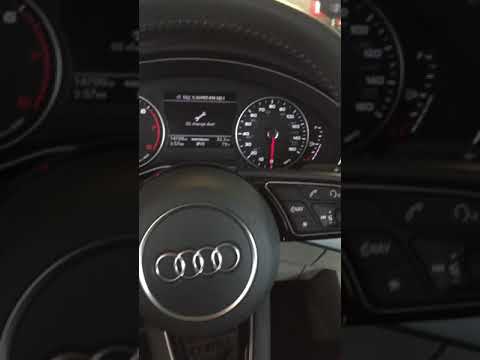
Today we will discover how to reset the service light for the regular maintenance of the engine oil change in the Audi A4. First, we get into the car…
Other guides you may be interested in
|
How to Replace the Timing Belt on a Chevrolet Matiz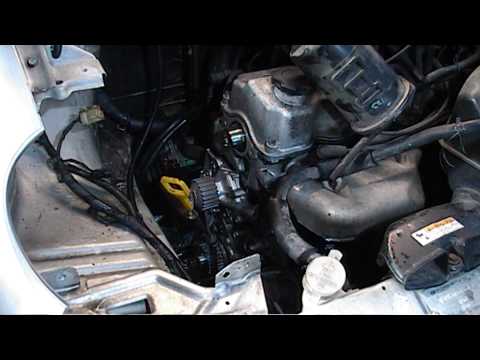
How to replace the timing belt on a Chevrolet Matiz. Open the bonnet and secure it, lift the car on a column lift (if necessary, remove the front wheel using a screwdriver to take off the right wheel arch liner). Use a fixed spanner to loosen the tensioner pulley and slide the belt off its seat. Use a socket spanner to undo the securing bolt of the tensioner pulley, then remove the water pump as shown in the video. Fit the new water pump, the tensioner, and the belt itself, tightening everything with the socket spanner. Finally, refit the rivets along with the wheel arch liner and reattach the wheel with the tyre to the vehicle. by ScegliAuto More videos
|
|
For advertising on this site Write to info@scegliauto.com
ScegliAuto is not responsible for any inaccuracy of the data in the lists. To report any inaccuracy or your business (if you own the business in question), please write to info@scegliauto.com
Number of seconds to generate the page: 0.082
(c) ScegliAuto 2026 - info@scegliauto.com - Privacy policy VAT number: IT01247470535 |
