
|
Do it yourself
| |||
| ||||



How to reset the service light on Audi A4
Model: Audi A4
B7
- Years:
2004, 2005, 2006, 2007, 2008
Video tutorial
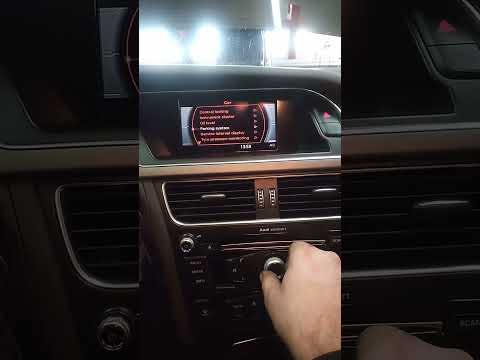
The following video tutorial shows us the steps to reset the service light on an Audi A4 vehicle. To reset the light, we need to turn on the instrument panel and press the menu button on the central dashboard. Using the volume knob of the car radio, we select the "vehicle settings" option. From the settings menu, we select the "service" option to access the maintenance menu. We then select the "maintenance intervals" option and hold down the OK button to update the kilometers until the next car service. Once the reset is complete, we restart the instrument panel.
Posted on 2 October 2025 by ScegliAuto
Related tutorials
Audi A4
(2004-2008 /
B7)
Hello, today you will focus on the important procedure to reset the "Service" light on your Audi A4. Before proceeding, ensure that you have performe…
Audi A4
(2007-2016 /
B8)
To reset the Service light on an Audi A4, turn on the ignition to access the menu on the central display of the dashboard. Use the controls on the ce…

Audi A4
(2014-2024 /
B9)
In this new mini guide for those of you who own the new Audi A4 B9, you will learn how to manually reset the service light if it remains on after the…
Other guides you may be interested in |
How to Open the Fuel Filler Flap in the Hyundai i30?
In this tutorial, you will learn how to open the fuel filler flap in the Hyundai i30, a very simple operation that follows the typical procedure of most vehicles. First, unlock the locks using the designated button on the remote, then open the driver's door, locate the release lever on the left side of the seat, and operate it. Next, move to the fuel filler flap, open it completely, unscrew the cap, and refuel as needed. To close the flap, simply press it gently. by ScegliAuto More videos
|
|
For advertising on this site Write to info@scegliauto.com
ScegliAuto is not responsible for any inaccuracy of the data in the lists. To report any inaccuracy or your business (if you own the business in question), please write to info@scegliauto.com
Number of seconds to generate the page: 0.014
(c) ScegliAuto 2026 - info@scegliauto.com - Privacy policy VAT number: IT01247470535 |
