
|
Do it yourself
| |||
| ||||


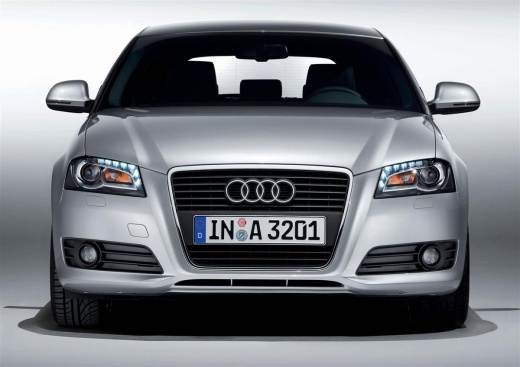
How do you change the language of the onboard computer in the Audi A3?
Model: Audi A3
MK 2, 8P
- Years 2003-2013
It will be possible to change the language of the onboard computer of the Audi A3 by turning on the instrument cluster and inserting the ignition key into the corresponding slot. Once the instrument cluster is turned on, you can connect a diagnostic tool to the OBD port of the vehicle located under the steering column. At this point, you will be able to select the model of the car in question and its corresponding version: then you should follow the instructions on the screen to change the language, and finally, you will need to disconnect the scanner from the socket.
Posted on 9 January 2026 by ScegliAuto
Video tutorial
Related tutorials
Audi A3
(2003-2013 /
MK 2, 8P)
To change the language of the on-board computer of the Audi A3, you need to turn on the instrument panel by inserting the ignition key into the corre…

Audi A3
(2003-2013 /
MK 2, 8P)
Today we will show you the steps to change the language on the on-board computer or multifunction menu of the Audi A3 model 8p. To make the change, f…

Audi A3
(2012-2019 /
MK 3, 8V)
In order to change the language of the on-board computer of the Audi A3, you need to insert the ignition key into the slot and turn it to start the d…
Other guides you may be interested in
|
How to Replace the Timing Belt on a Lancia Delta
How do you replace the timing belt on a Lancia Delta? Lift the car on a column lift. Open the bonnet, remove the engine soundproofing panel and the metal timing belt cover. Using a suitable spanner, loosen the tensioner pulley and slide the belt off its seat. After fitting the new belt, use the spanner to tension the tensioner pulley, tightening until the belt has the correct tension (as previously installed). Finally, check the tensioner and the belt itself, and tighten everything with a socket wrench. by ScegliAuto More videos
|
|
For advertising on this site Write to info@scegliauto.com
ScegliAuto is not responsible for any inaccuracy of the data in the lists. To report any inaccuracy or your business (if you own the business in question), please write to info@scegliauto.com
Number of seconds to generate the page: 0.139
(c) ScegliAuto 2026 - info@scegliauto.com - Privacy policy VAT number: IT01247470535 |
