
|
Do it yourself
| |||
| ||||


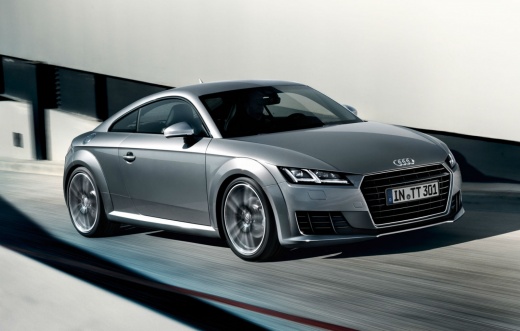
How to Disable Start & Stop on VAG Group Cars
Model: Audi Tt
MK 3, 8S
- Years:
2014, 2015, 2016, 2017, 2018, 2019, 2020, 2021, 2022, 2023
Video tutorial
Let's see how to disable the Start & Stop feature on recent VAG Group cars. You will need an OBD11 PRO tool, which can be found on Amazon with the code B00OTG9KGG for $133.93, with free shipping in 3 days for Prime customers. Connect the device to the OBD port, turn on the ignition, and connect via the dedicated app. Access the "climate control module" and then enter the "adaptations" menu. Here, look for the parameter related to Start & Stop and the climate control, where you will modify the sensitivity value of the Start & Stop to climate comfort. The video suggests a value of 1: Start & Stop disables as soon as the air conditioning is on (even at minimum), while with a value of 5, the climate has minimal interference, allowing Start & Stop to function as per factory settings. Therefore, this procedure does not permanently disable the system but tricks it by setting a condition - the request from the climate control - that prevents activation in most cases.
Posted on 7 July 2026 by ScegliAuto
Related tutorials
Audi Tt
(2006-2014 /
8J, MK 2)
Before you begin, open the trunk of your Audi TT. Using a flathead screwdriver, pry off the lock cover of the trunk. Next, remove the screws securing…

Audi Tt
(2006-2014 /
8J, MK 2)
Let's discover the information that will allow us to disassemble and replace the headlight bulb of the Audi TT. First of all, we open the hood of the…

Audi Tt
(2006-2014 /
8J, MK 2)
In this video tutorial, you will learn how to remove and replace the front position bulbs on the Audi TT headlight by following these simple steps. F…
Other guides you may be interested in
|
How to Reset the AdBlue Warning Light on a Peugeot Boxer
To reset the AdBlue system on a 2018 Peugeot Boxer, follow these steps: Start the engine and ensure the vehicle is parked in a well-ventilated area. Locate the "MENU" button on the dashboard or steering wheel controls. Press and hold the "MENU" button until the menu options appear on the display. Use the arrow buttons or scroll wheel to access the "Vehicle Settings" or "Settings" menu. Select the "AdBlue" or "AdBlue System" option. Look for the "Recharge" or "Reset" option in the AdBlue menu. Once you find the reset option, select it and confirm your choice when prompted. The system will be reset, and a confirmation message may appear on the display. Turn off the engine and wait a few seconds. Restart the engine and check that the AdBlue system has been reset. by ScegliAuto More videos
|
|
For advertising on this site Write to info@scegliauto.com
ScegliAuto is not responsible for any inaccuracy of the data in the lists. To report any inaccuracy or your business (if you own the business in question), please write to info@scegliauto.com
Number of seconds to generate the page: 0.019
(c) ScegliAuto 2026 - info@scegliauto.com - Privacy policy VAT number: IT01247470535 |
