
|
Do it yourself
| |||
| ||||


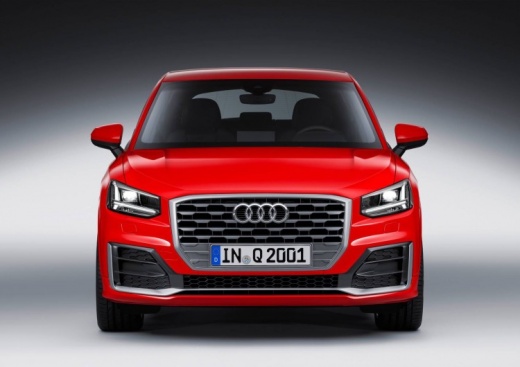
How to Reset the MMI Multimedia System on the Audi Q2
Model: Audi Q2
MK 1
- Years:
2016, 2017, 2018, 2019, 2020, 2021, 2022, 2023, 2024
Video tutorial
Today, we will discover the instructions that will allow you to reset the MMI multimedia system on the Audi Q2 in simple steps. First, get in the vehicle and turn on the instrument panel; then press and hold all the navigation buttons on the multimedia system until the display turns off, indicating the start of the multimedia system reset, as shown in the video. At this point, wait for the multimedia system to initialise, resetting your preferences and checking its correct operation.
Posted on 31 October 2026 by ScegliAuto
Related tutorials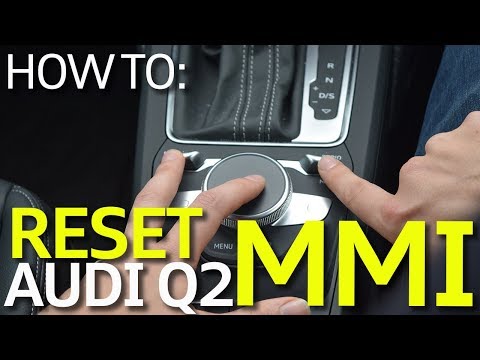
Audi Q2
(2016-2024 /
MK 1)
As shown in the video, sometimes the multimedia screen may completely stop working or malfunction. What can you do if you are dealing with a non-func…

Audi Q2
(2016-2024 /
MK 1)
To reset the service light on an Audi Q2, the manual states that diagnostic equipment is required. However, there is also an empirical method, which …

Audi Q2
(2016-2024 /
MK 1)
To reset the service light on an Audi Q2, turn on the instrument cluster without starting the engine and access the infotainment system or the virtua…
Other guides you may be interested in |
How to Open a Stuck Boot Lid on a Seat Ibiza
On a Seat Ibiza, the boot lid may become stuck, for example, due to a fault with the control button or the lock actuator. In these cases, you can perform an emergency opening by following the simple procedure shown in this tutorial. First, open the rear doors, then lower the backrest by operating the release lever. Next, go to the boot, unclip the cover panel of the boot lid, and open it by operating the actuator with a screwdriver or a similar tool. by ScegliAuto More videos
|
|
For advertising on this site Write to info@scegliauto.com
ScegliAuto is not responsible for any inaccuracy of the data in the lists. To report any inaccuracy or your business (if you own the business in question), please write to info@scegliauto.com
Number of seconds to generate the page: 0.009
(c) ScegliAuto 2026 - info@scegliauto.com - Privacy policy VAT number: IT01247470535 |
