
|
Do it yourself
| |||
| ||||


How to Reset the MMI on the Audi Q2
Model: Audi Q2
MK 1
- Years 2016-2024
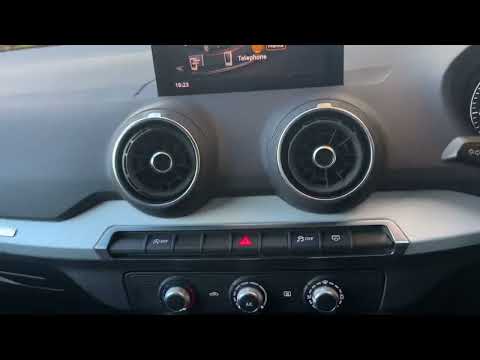
As shown in the video, sometimes the multimedia screen may completely stop working or malfunction. What can you do if you are dealing with a non-functioning multimedia screen? In most cases, simply resetting it will restore functionality, much like you would with a smartphone that freezes: turn it off and back on. Usually, all issues are resolved. The same applies to your Audi Q2. To reset the software, the procedure is very simple: press and hold the central round button and the two upper buttons on either side simultaneously. Keep them pressed for a few seconds. The screen will turn white, indicating that the reset has occurred.
Updated on 27 July 2026 by ScegliAuto
Video tutorial
Related tutorials
Audi Q2
(2016-2024 /
MK 1)
To reset the service of the Audi Q2, the manual specifies that diagnostic equipment must be used. In reality, there is also an empirical method, whic…
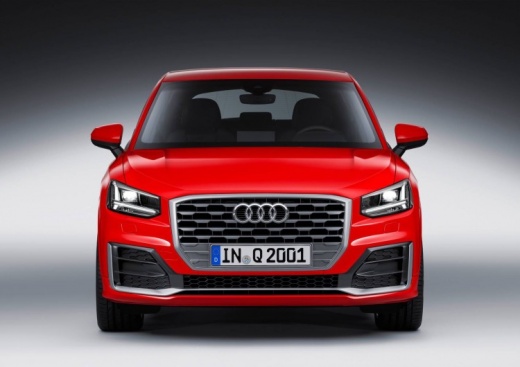
Audi Q2
(2016-2024 /
MK 1)
In this short video tutorial, see how to reset the tyre pressure warning light on an Audi Q2. First, turn on the vehicle's instrument cluster, then p…

Audi Q2
(2016-2024 /
MK 1)
In this tutorial, learn how to reset the tyre pressure light on an Audi Q2, a very simple and quick operation, to be performed only after restoring t…
Other guides you may be interested in |
How to Bleed the Clutch on a Renault Clio?
To bleed the clutch on a Renault Clio, open the bonnet to access the components located in the engine bay: here, you will need to undo the screws that secure the battery in its housing, the intake manifold, and the coolant reservoir. This will allow you to locate the pipe through which the brake fluid flows: by inserting the other end of the pipe into a container, you can press the clutch pedal to expel all the fluid until it fills the container. by ScegliAuto More videos
|
For advertising on this site Write to info@scegliauto.com
ScegliAuto is not responsible for any inaccuracy of the data in the lists. To report any inaccuracy or your business (if you own the business in question), please write to info@scegliauto.com
Number of seconds to generate the page: 0.241
(c) ScegliAuto 2026 - info@scegliauto.com - Privacy policy VAT number: IT01247470535 |
