
|
Do it yourself
| |||
| ||||


|
Video tutorial
In this tutorial, you will see how to reprogram the remote for an Audi TT, a very simple and quick operation, for example, after replacing the battery. To do this, you will obviously need a working key. First, enter the cabin and leave the driver's window open. Then, insert the key of the remote to be programmed and turn on the ignition. Next, insert the first key into the lock, lock the doors, and hold down the unlock button on the remote to be programmed. At this point, simply remove the key and verify that the procedure was successful.
Posted on 18 November 2026 by ScegliAuto
Related tutorials
Audi Tt
(1998-2006 /
8N, MK 1)
In this tutorial, you will see how to reprogram the Audi TT remote, a very simple and quick operation to perform after replacing the battery, for exa…

Audi Tt
(1998-2006 /
8N, MK 1)
In this video, we see a common problem with Audi TT keys; when dropped, the key can break at its thinnest point, rendering both the key and remote un…

…
ScegliAuto offers an extensive international collection of automotive tutorials available in 12 languages. Each guide combines instructional videos with original explanations written by experienced human editors, along with information about the car models covered.
Other guides you may be interested in
|
How to find and enter the unlock code for the radio in the Dacia Dokker?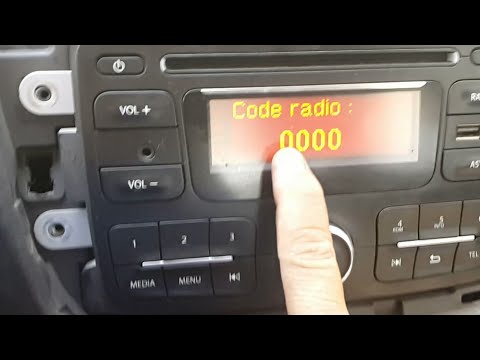
In this tutorial, you will learn how to find and enter the unlock code for the radio in the Dacia Dokker, a very simple operation necessary after replacing the battery. The code is usually found with the various documents provided at purchase, but if lost, it can be retrieved through various online services. These services require the serial number of the radio, which is located on the label on the top side of the unit. Once you have the unlock code, you can turn on the radio and enter it by repeatedly pressing the "1", "2", "3", and "4" buttons, and save the setting with the "6" button. by ScegliAuto More videos
|
|
For advertising on this site Write to info@scegliauto.com
ScegliAuto is not responsible for any inaccuracy of the data in the lists. To report any inaccuracy or your business (if you own the business in question), please write to info@scegliauto.com
Number of seconds to generate the page: 0.099
(c) ScegliAuto 2026 - info@scegliauto.com - Privacy policy - About us VAT number: IT01247470535 |
