
|
Do it yourself
| |||
| ||||


Audi A3 navigation system reset
Model: Audi A3
MK 3, 8V
- Years 2012-2019
In this video tutorial we will see how to reset the navigation system / on-board computer of an Audi A3, but also on other models of the manufacturer, such as the A4 and the TT. First we get in the car and turn on the ignition; then we access our navigation system and press the two buttons that we find in the central tunnel (radio and navigation). In this way our on-board computer will shut down and carry out the reset; then we wait until the system is initialized, before accessing and being able to use all its functions.
Posted on 26 September 2021 by ScegliAuto
Video tutorial
Related tutorials
Audi A3
(2012-2019 /
MK 3, 8V)
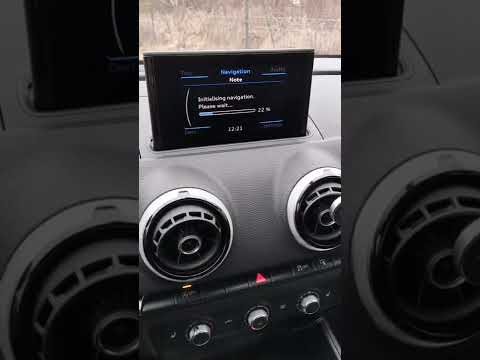
When the navigation system of the Audi A3 freezes irreparably, it is necessary to reset the system. To proceed with the reset, we must press and hold…
Audi A3
(2020-2026 /
8Y, MK 4)
The Audi MMI (Multi Media Interface) system is a useful and highly effective system: it simplifies audio controls, vehicle settings, and navigation, …
Audi A3
(2020-2026 /
8Y, MK 4)
Mmi is the name of the multimedia system from the Audi manufacturer. It is a very advanced system, which allows the user to have a cockpit with almos…
Other guides you may be interested in |
How to Replace the Handbrake Button on a Renault Scenic
To remove the handbrake, start by taking off the lower parts, beginning with the side panel. Use a plastic lever to lift the panel. Now, to remove the glove compartment, open it and pull it towards you. Next, remove the brightness controls for the dashboard and external lights. You can extract it by pushing from the inside and disconnect the plugs at the back. This allows you to unscrew the bolts securing the handbrake lever. Now, remove the screw that secures the panel where the handbrake is attached. You can now gently pull out the handbrake and disconnect the plug at the back. by ScegliAuto More videos
|

|
For advertising on this site Write to info@scegliauto.com
ScegliAuto is not responsible for any inaccuracy of the data in the lists. To report any inaccuracy or your business (if you own the business in question), please write to info@scegliauto.com
Number of seconds to generate the page: 0.053
(c) ScegliAuto 2026 - info@scegliauto.com - Privacy policy VAT number: IT01247470535 |
