
|
Do it yourself
| |||
| ||||



Video tutorial
To set or modify the time on the vehicle, you need to use the MMI interface via the touch screen controls. On the dashboard in the central area, there is a multimedia display. Turn on the ignition, and the touch display will show a menu consisting of two pages. To change the date and time, access and touch the "Settings" command; within the settings menu, you will find the "General" option. Proceed to touch this command, and the "Date and Time" indication will appear; click on this option again, and within it, you will find the options to select the date and subsequently the time, including whether it is updated via GPS and also the format (12h or 24h).
Updated on 15 May 2026 by ScegliAuto
Related tutorials
Audi A3
(2012-2019 /
8V, MK 3)
Resetting the MMI is extremely difficult to do on your own, as it requires specialized equipment and knowledge of the system. It is therefore necessa…

Audi A3
(2012-2019 /
8V, MK 3)
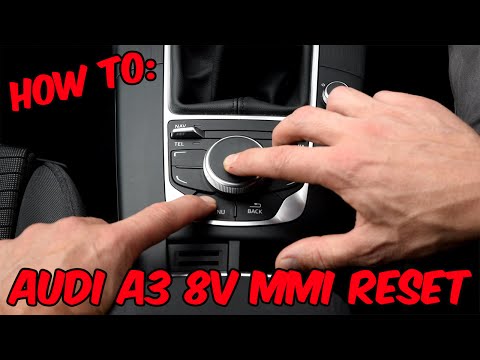
This video demonstrates the procedure to reset the MMI system in your Audi A3. This acronym refers to the "Multi Media Interface", the computer syste…
Audi A3
(2012-2019 /
8V, MK 3)
The video shows how to perform the reset operation of the MMI system in the 2015 Audi A3 8V. It is a very simple operation that requires little time …
Other guides you may be interested in |
How to Open the Fuel Filler Flap in the Hyundai i30?
In this tutorial, you will learn how to open the fuel filler flap in the Hyundai i30, a very simple operation that follows the typical procedure of most vehicles. First, unlock the locks using the designated button on the remote, then open the driver's door, locate the release lever on the left side of the seat, and operate it. Next, move to the fuel filler flap, open it completely, unscrew the cap, and refuel as needed. To close the flap, simply press it gently. by ScegliAuto More videos
|
|
For advertising on this site Write to info@scegliauto.com
ScegliAuto is not responsible for any inaccuracy of the data in the lists. To report any inaccuracy or your business (if you own the business in question), please write to info@scegliauto.com
Number of seconds to generate the page: 0.046
(c) ScegliAuto 2026 - info@scegliauto.com - Privacy policy VAT number: IT01247470535 |
