
|
Do it yourself
| |||
| ||||


How to reset the MMI system of the Audi A4 B9?
Model: Audi A4
B9
- Years 2014-2024
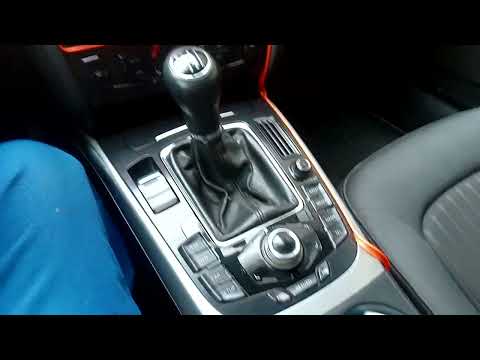
To be able to reset the MMI system of the Audi A4 B9 you have to go and turn on the instrument panel, so that the car radio also turns on. At this point, it will be necessary to simultaneously press the NAV / MAP buttons and the circular button located in the center of the central control panel. This way you will notice that the car radio display will turn off and on again automatically. By doing so, the reset operation of the MMI system will have occurred correctly and all the radio settings will have been restored to their original state. After the operation, the instrument panel can be switched off.
Posted on 18 September 2022 by ScegliAuto
Video tutorial
Related tutorials
Audi A4
(2007-2016 /
B8)
It will be possible to reset the MMI system of the Audi A4 by first turning on the instrument panel, inserting the ignition key into the correspondin…
Audi A4
(2007-2016 /
B8)
In the Audi A4, it can happen that the MMI multimedia system shows signs of malfunction, such as continuous freezing or connection problems. In these…

Audi A4
(2014-2024 /
B9)
Various navigation menus have been found on Audi vehicles depending on the model, year, and equipment. Audi offers different navigation and multimedi…
Other guides you may be interested in |
How to Replace the Fuel Filter on Opel Astra
How do you replace the fuel filter on Opel Astra? Let's see the replacement: lift the car with a column lift (jack) and secure it. Remove the locking plate of the filter using a socket spanner (undo the securing bolts next to the plate) where it is located and disconnect the wires and various hoses from the filter. Extract the diesel filter and replace it with a new one. Finally, reassemble the diesel filter housing (connect the hoses and wires) and tighten the bolts to the metal plate (as shown in the video). Lower the car after the replacement. by ScegliAuto More videos
|
|
For advertising on this site Write to info@scegliauto.com
ScegliAuto is not responsible for any inaccuracy of the data in the lists. To report any inaccuracy or your business (if you own the business in question), please write to info@scegliauto.com
Number of seconds to generate the page: 0.046
(c) ScegliAuto 2026 - info@scegliauto.com - Privacy policy VAT number: IT01247470535 |
