
|
Do it yourself
| |||
| ||||


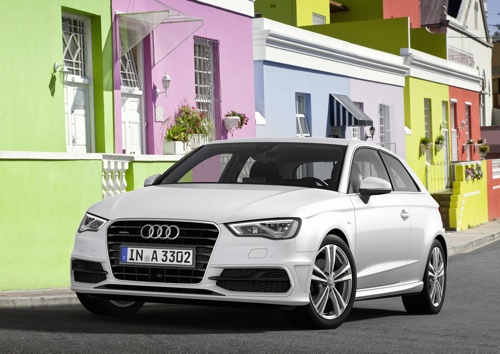
How to Reset the Tyre Pressure Light on Audi A3
Model: Audi A3
8V, MK 3
- Years:
2012, 2013, 2014, 2015, 2016, 2017, 2018, 2019
Video tutorial
In this video tutorial, you can see how to reset the tyre pressure light on an Audi A3. If the tyre pressure light has illuminated (the light is yellow and consists of two round brackets with an exclamation mark in the centre), the first thing to do is stop at a petrol station and check the tyre pressures. Once you have resolved the pressure issue, get back in your vehicle and use the knob located near the gear lever to navigate through the vehicle settings MENU; look for the CAR option and press OK; now rotate the knob to find the VEHICLE SETTINGS and the SERVICING CHECKS option. At this point, you have access to vehicle maintenance; press OK on "tyre pressure monit." Now you must select "YES STORE NOW" to save the pressure. Reset complete.
Updated on 25 June 2026 by ScegliAuto
Related tutorials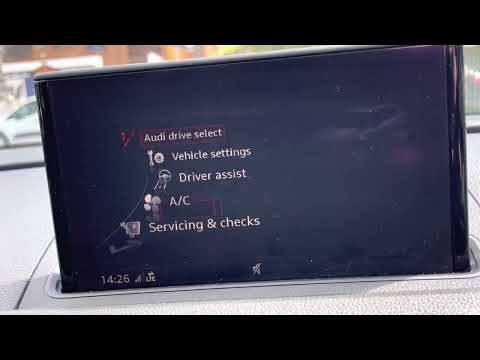
Audi A3
(2012-2019 /
8V, MK 3)
In this tutorial, you will learn how to reset the tyre light on an Audi A3, a very simple and quick operation to perform only after restoring the cor…

Audi A3
(2012-2019 /
8V, MK 3)
In this tutorial, see how to reset the tyre pressure light on an Audi A3, a very simple and quick operation to perform only after restoring the corre…

Audi A3
(2020-2026 /
MK 4, 8Y)
If the TPMS warning light related to the tyre pressure of your new Audi A3 (2020-2022) lights up incorrectly, do not worry because you can easily res…
Other guides you may be interested in |
How to reset the tyre pressure warning light on the Kia Niro EV?
To reset the tyre pressure warning light on the Kia Niro EV, inflate the tyres until they reach the correct pressure value. This value is indicated on the sticker attached to the driver's door pillar. Once the tyres are inflated, turn on the instrument cluster to check that the warning light has completely disappeared from the display. If it is still present, you may need to drive for a few miles to ensure it disappears completely from the screen. by ScegliAuto More videos
|
|
For advertising on this site Write to info@scegliauto.com
ScegliAuto is not responsible for any inaccuracy of the data in the lists. To report any inaccuracy or your business (if you own the business in question), please write to info@scegliauto.com
Number of seconds to generate the page: 0.148
(c) ScegliAuto 2026 - info@scegliauto.com - Privacy policy VAT number: IT01247470535 |
