
|
Do it yourself
| |||
| ||||


What to Do if the Service is Expired on the Audi A1?
Model: Audi A1
8X, MK 1
- Years 2010-2018
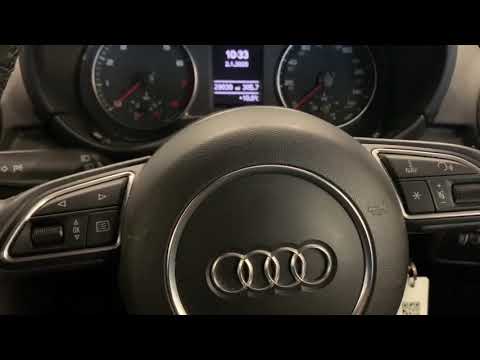
If the service is expired on the Audi A1, the first thing to do is visit a garage and entrust the maintenance work to skilled hands. Next, you need to remove the corresponding warning light on the dashboard. Here’s how to proceed in this tutorial. First, turn on the ignition, then press the "CAR" button located on the central console and turn the large knob to the left to access the maintenance screen. Once this is done, press the same button and perform the reset by confirming your choice. Restart the ignition and check that the procedure has been successful.
Updated on 8 July 2026 by ScegliAuto
Video tutorial
Related tutorials
Audi A1
(2010-2018 /
8X, MK 1)
Today we will explain how to reset the service light on the Audi A1. Perform this procedure only after completing the operations required by the serv…
Audi A1
(2010-2018 /
8X, MK 1)
This tutorial explains how to reset the service light on an Audi A1. After changing the oil yourself, based on mileage or after the recommended time …

Audi A1
(2018-2025 /
MK 2, GB)
In this tutorial, we will see how to reset the service indicator in the Audi A1, a very simple and quick operation that should be done only after com…
Other guides you may be interested in
|
How to Reset the Central Locking of the Volkswagen Golf 4?
If the central locking system of the Volkswagen Golf 4 is not working, it is likely necessary to reset the system: to do this, open the driver's door and detach the side panel of the dashboard next to the steering wheel. Under this panel, you will find the fuses, including the one for the central locking, which is indicated in the manual as number 14. To reset the system, remove this fuse from its housing, then reinsert it or replace it with a new one of the same amperage: this will reset the central locking system. by ScegliAuto More videos
|

|
For advertising on this site Write to info@scegliauto.com
ScegliAuto is not responsible for any inaccuracy of the data in the lists. To report any inaccuracy or your business (if you own the business in question), please write to info@scegliauto.com
Number of seconds to generate the page: 0.487
(c) ScegliAuto 2026 - info@scegliauto.com - Privacy policy VAT number: IT01247470535 |
