
|
Do it yourself
| |||
| ||||


How to change the menu language on a 2016 Audi A1?
Model: Audi A1
8X, MK 1
- Years 2010-2018
In this video tutorial, we can see how it is possible to change the language of the menu on a 2016 Audi A1 by following a few simple steps: get into the car, turn on the ignition (we will use the buttons in the central area to change the menu language); press the BACK button (back button) to access the menu on the central display, then press the configuration button once (to the right of the scroll wheel) as shown in the video; now the "Menu language" option appears on the display, to enter it you need to press the scroll wheel button, choose the language you prefer, and then press the scroll wheel button to confirm the desired language.
Posted on 29 August 2023 by ScegliAuto
Video tutorial
Related tutorials
Audi A1
(2010-2018 /
8X, MK 1)
Setting a different language on the onboard computer of an Audi A1 is a simple and quick operation to be carried out independently. To perform this o…

Audi A1
(2010-2018 /
8X, MK 1)
In today's article, we will see how to change the time on the Audi A1. To perform this procedure, no tools or software are needed. First, start the i…

Audi A1
(2010-2018 /
8X, MK 1)
The steps to adjust the time and date of the onboard computer of the 2010 Audi A1 model 8X are: -turn on the instrument panel; -press the onboard com…
Other guides you may be interested in
|
How to Replace the Diesel Filter on a Dacia Duster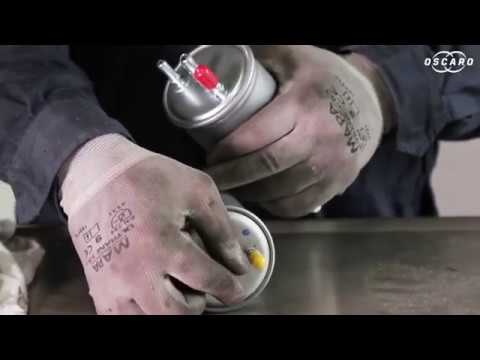
Let's see how to replace the diesel filter on a Dacia Duster. Start by removing the plastic cover at the bottom of the bumper with a suitable screwdriver (remove the circle), then reach the front headlamp located in the bumper (as shown in the video). After removing the container, take out the filter inside and fit a new one (same size). Refit the container and the plastic cover under the car's bumper with the attached clips. Test the proper functioning. Refit the front circle with the securing clips and lower the car. by ScegliAuto More videos
|

|
For advertising on this site Write to info@scegliauto.com
ScegliAuto is not responsible for any inaccuracy of the data in the lists. To report any inaccuracy or your business (if you own the business in question), please write to info@scegliauto.com
Number of seconds to generate the page: 0.049
(c) ScegliAuto 2026 - info@scegliauto.com - Privacy policy VAT number: IT01247470535 |
