
|
Do it yourself
| |||
| ||||


How to reset the tire warning light in the Audi RS3?
Model: Audi A3
MK 3, 8V
- Years 2012-2019
In this tutorial, we can see how to reset the tire warning light in the Audi RS3, an extremely simple and quick operation, to be performed only once the correct pressure of each tire has been restored. First of all, let's go inside the cabin, then turn on the instrument panel and, using the large knob on the center console, access the main menu. Next, select "Vehicle", move to the left tab and enter "Service & Checks" and then "Tire pressure monitor". At this point, all that's left is to perform the reset using the "Store tire pressure" option and restart the instrument panel.
Posted on 30 September 2023 by ScegliAuto
Video tutorial
Related tutorials
Audi A3
(2012-2019 /
MK 3, 8V)
In this tutorial we can see how to reset the tire pressure warning light in the Audi RS3, an extremely simple and quick operation, to be carried out …
Audi A3
(2012-2019 /
MK 3, 8V)
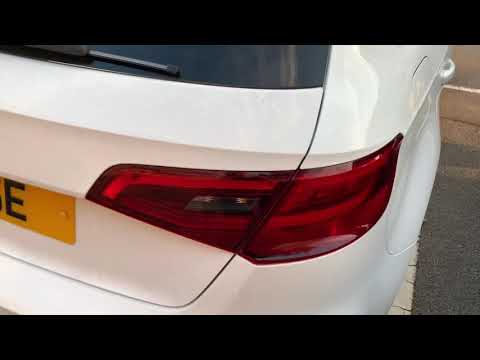
The guide shows how to disassemble the rear light of the Audi A3, both in the S3 and RS3 versions. The first operation to be carried out is to open t…

Audi A3
(2020-2026 /
8Y, MK 4)
In this tutorial, we can see how to reset the tire pressure light in the Audi A3, an extremely simple and quick operation. Before doing this, we shou…
Other guides you may be interested in |
How to Replace the Engine Air Filter on a Hyundai Matrix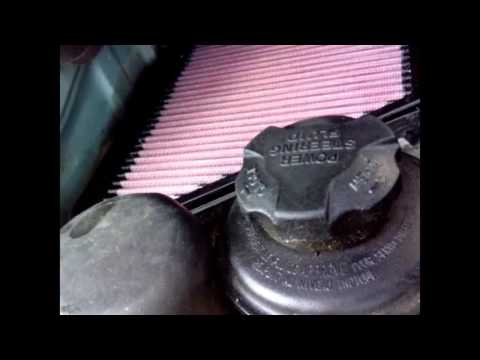
Learn how to replace the engine air filter on a Hyundai Matrix: open the car door, pull up the engine compartment release lever located at the bottom left of the dashboard, and lift the front bonnet. Secure it with the prop rod. Locate the filter box, then open the air kit (release the plastic clips) and remove the cover to extract the worn air filter. Insert a new filter into the designated housing (ensuring it fits snugly around the edges). Finally, refit the air box cover and secure it with the clips. Close the front bonnet after maintenance. by ScegliAuto More videos
|
|
For advertising on this site Write to info@scegliauto.com
ScegliAuto is not responsible for any inaccuracy of the data in the lists. To report any inaccuracy or your business (if you own the business in question), please write to info@scegliauto.com
Number of seconds to generate the page: 0.046
(c) ScegliAuto 2026 - info@scegliauto.com - Privacy policy VAT number: IT01247470535 |
