
|
Do it yourself
| |||
| ||||


How to Reset the MMI Multimedia System of the Audi A8
Model: Audi A8
D4, 4H, MK 3
- Years:
2009, 2010, 2011, 2012, 2013, 2014, 2015, 2016, 2017
Video tutorial
Here are the instructions to reset the MMI multimedia system of the Audi A8 in simple and quick steps. First, get inside the vehicle and turn on the instrument cluster; then power on the multimedia system and press the three indicated scroll buttons simultaneously, as shown in the video. At this point, you will see that the multimedia system will begin the reset and restore factory settings; wait for the system to reboot, then check for proper operation!
Updated on 9 October 2026 by ScegliAuto
Related tutorials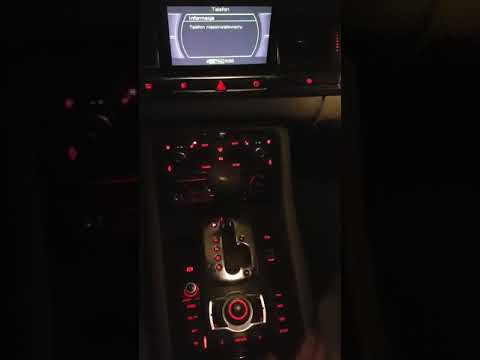
Audi A8
(2003-2009 /
Typ4e, MK 2)
In the Audi A8, the MMI multimedia system may freeze or show various signs of malfunction. In these cases, you can try to resolve the issues by perfo…

Audi A8
(2009-2017 /
D4, 4H, MK 3)
In your Audi A8, the multimedia system may occasionally freeze or show various signs of malfunction. In these cases, you can try to resolve the issue…

Audi A8
(2002-2009 /
)
The issues with the Audi MMI (Multi Media Interface) system are numerous, and many owners of vehicles equipped with this system report various defect…
Other guides you may be interested in |
How to Reset the AdBlue Warning Light on a Peugeot Boxer
To reset the AdBlue system on a 2018 Peugeot Boxer, follow these steps: Start the engine and ensure the vehicle is parked in a well-ventilated area. Locate the "MENU" button on the dashboard or steering wheel controls. Press and hold the "MENU" button until the menu options appear on the display. Use the arrow buttons or scroll wheel to access the "Vehicle Settings" or "Settings" menu. Select the "AdBlue" or "AdBlue System" option. Look for the "Recharge" or "Reset" option in the AdBlue menu. Once you find the reset option, select it and confirm your choice when prompted. The system will be reset, and a confirmation message may appear on the display. Turn off the engine and wait a few seconds. Restart the engine and check that the AdBlue system has been reset. by ScegliAuto More videos
|
|
For advertising on this site Write to info@scegliauto.com
ScegliAuto is not responsible for any inaccuracy of the data in the lists. To report any inaccuracy or your business (if you own the business in question), please write to info@scegliauto.com
Number of seconds to generate the page: 0.018
(c) ScegliAuto 2026 - info@scegliauto.com - Privacy policy VAT number: IT01247470535 |
