
|
Do it yourself
| |||
| ||||


BMW Serie 4 - KeyKey BMW Serie 4 (2013-2020 / f 33, f 36, f 32, mk 1) BMW Serie 4 (2013-2020 / F33, F36, F32, MK 1) How to replace the battery of the remote control of the BMW Series 4 F32 If you need to replace the battery inside the remote control of your BMW 4 Series F32 by yourself, but you don't know how to do it, then just read carefully …Read all… Posted on 21 September 2025 by ScegliAuto  BMW Serie 4 (2013-2020 / F33, F36, F32, MK 1) How to replace the battery of the key for the BMW 4 Series F32 If the key of your BMW Serie 4 F32 has stopped working and you don't know how to replace the battery inside it, then all you have to do is read the following …Read all… Posted on 15 February 2025 by ScegliAuto  BMW Serie 4 (2013-2020 / F33, F36, F32, MK 1) How to update a BMW key In this video, we see how it is possible to program or update a BMW key in order to lock and unlock the vehicle: the ignition must be on, and the process …Read all… Posted on 9 February 2025 by ScegliAuto  BMW Serie 4 (2013-2020 / F33, F36, F32, MK 1) How to Replace the Key Fob Battery for the BMW 4 Series The main steps today will show you how to disassemble and replace the battery in the key fob for the BMW 4 Series. First, take your key fob and start by …Read all… Posted on 27 October 2026 by ScegliAuto  BMW Serie 4 (2013-2020 / F33, F36, F32, MK 1) How to Replace the Key Battery in a BMW 4 Series To correctly and safely replace the button battery inside your BMW 4 Series key, simply follow this quick procedure. First, pull out the bottom part of the …Read all… Posted on 19 August 2026 by ScegliAuto  BMW Serie 4 (2013-2020 / F33, F36, F32, MK 1) How to Replace the Key Battery of the BMW 4 Series Replacing the battery in the key of the BMW 4 Series is very simple and can be done by anyone. First, remove the physical key by pulling it out. Next, with the …Read all… Posted on 9 August 2026 by ScegliAuto 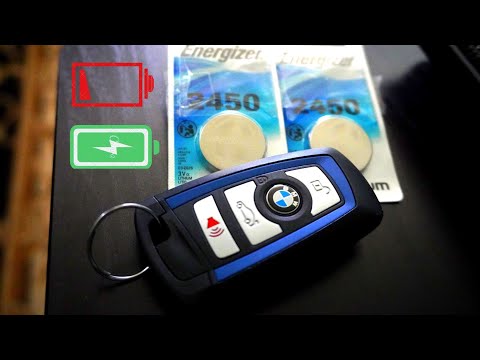 BMW Serie 4 (2013-2020 / F33, F36, F32, MK 1) How to Change the Battery in BMW 4 Series F32 Key Fob In today's video tutorial, you will see how to disassemble and replace the battery in the key fob of a BMW 4 Series F32. First, take your key fob and get the …Read all… Posted on 11 May 2026 by ScegliAuto Car stereo (1) Battery (1) Grille (1) Convertible top (2) Key (7) Checks and maintenance (1) Fog lights (1) Air filter (1) Parking brake (1) Accessory kit (3) Light bulb (1) Headlight bulb (2) Trim cover (1) Front bumper (2) Rear bumper (1) Pump (1) Instrument cluster (1) Fuse box (6) Seat (1) Parking sensors (1) Warning light – error code (3) Tire pressure warning light (4) Service warning light (9) |
How to Reset the Tyre Pressure Warning Light on a Peugeot 2008?
On the instrument cluster of the Peugeot 2008, the tyre pressure warning light that appears can be reset by turning on the ignition, allowing access to the menu that will appear on the central display: press the button with the car icon located just below the display. At this point, scroll through the screen that appears, selecting the option that allows you to reset the tyre warning light: selecting it will bring up a confirmation message, where you can select "Yes" to completely reset the low pressure warning light. by ScegliAuto More videos
|
|
For advertising on this site Write to info@scegliauto.com
ScegliAuto is not responsible for any inaccuracy of the data in the lists. To report any inaccuracy or your business (if you own the business in question), please write to info@scegliauto.com
Number of seconds to generate the page: 0.006
(c) ScegliAuto 2026 - info@scegliauto.com - Privacy policy VAT number: IT01247470535 |
