
|
Do it yourself
| |||
| ||||


How do you replace the battery in a BMW 1 Series F20?
Model: BMW Serie 1
F20, F21, MK 2
- Years 2011-2019
Changing the battery on your car is not complicated but it requires a bit of attention and manual dexterity. Open the trunk and lift the bottom panel because the battery is there. Disconnect the negative pole, the black one, and then the positive one, the red one. Unscrew the support that holds the battery in place and carefully remove it because it is heavy. Insert the new battery, reconnect the positive pole first and then the negative one, secure everything properly and make sure it is stable. At this point, you need to register it with the OBD to avoid problems with the energy management system. If you have a diagnostic tool, do it yourself, otherwise it is better to go to the mechanic.
Posted on 27 March 2025 by ScegliAuto
Video tutorial
Related tutorials
BMW Serie 1
(2011-2019 /
F20, F21, MK 2)
If you want to find out how you can replace the headlight bulb of your BMW 1 Series F20, just pay attention to the procedure described below. First, …
BMW Serie 1
(2011-2019 /
F20, F21, MK 2)
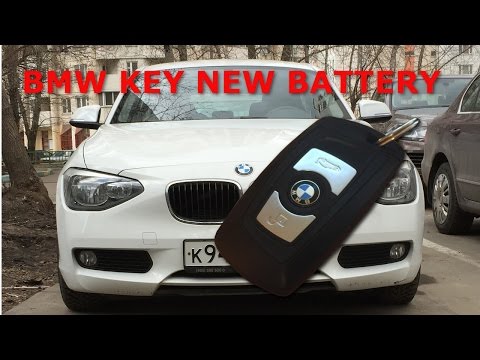
This guide shows how to replace the battery in the BMW 1 Series f20 remote control. To replace the battery, the first operation to be performed is to…

BMW Serie 1
(2011-2019 /
F20, F21, MK 2)
If you own a BMW 1 Series f20 and want to find out where the OBD port is located so you can connect any compatible diagnostic tool, all you have to d…
Other guides you may be interested in
|
How to Remove the Original Radio on a Honda CR-V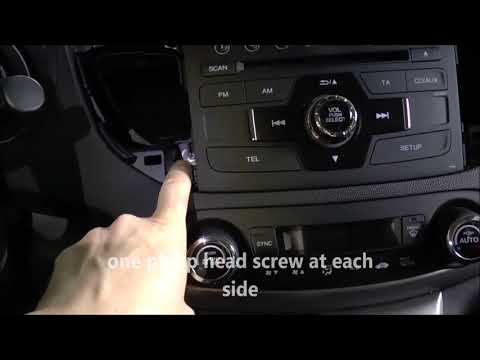
How do you remove the original radio on a Honda CR-V? First, use a plastic lever to remove the side cover of the radio (the air vents), then, with a screwdriver, unscrew the securing screws located on the sides (if present). After unscrewing the side screws (and disconnecting the clips) of the stereo, pull it out from its slot and remove it (disconnect the various power connectors at the back). To install the new stereo and the various removed parts, proceed in reverse order. by ScegliAuto More videos
|
|
For advertising on this site Write to info@scegliauto.com
ScegliAuto is not responsible for any inaccuracy of the data in the lists. To report any inaccuracy or your business (if you own the business in question), please write to info@scegliauto.com
Number of seconds to generate the page: 0.078
(c) ScegliAuto 2026 - info@scegliauto.com - Privacy policy VAT number: IT01247470535 |
