
|
Do it yourself
| |||
| ||||


How to Replace the Key/Remote Battery on a BMW F10
Model: BMW Serie 5
F10, F11
- Years 2010-2017
To replace the battery in the key/remote for the BMW 520 Series 5, first, slide the key out of its housing. To do this, press on the side of the remote opposite the side with the manufacturer's logo, near the ring embedded in the remote itself, and pull to slide the actual key out of its housing. At this point, use the key itself to pry at the designated hole on the small plastic cover of the battery compartment to remove it and access the battery for replacement.
Updated on 2 March 2026 by ScegliAuto
Video tutorial
Related tutorials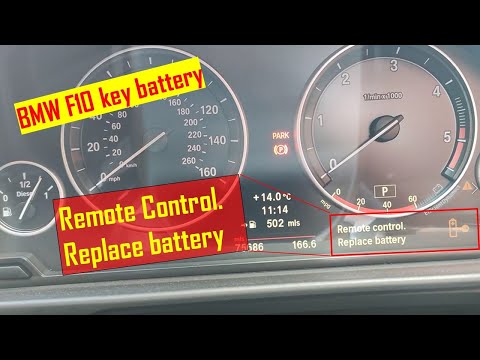
BMW Serie 5
(2010-2017 /
F10, F11)
Today we will see the steps that will allow us to disassemble and replace the key remote control battery on the BMW 5 Series F10, following the instr…

BMW Serie 5
(2010-2017 /
F10, F11)
Today we will explain how to replace the battery of a BMW 5 Series remote control produced from 2010 to 2017. Before replacing the battery, we need t…
BMW Serie 5
(2010-2017 /
F10, F11)
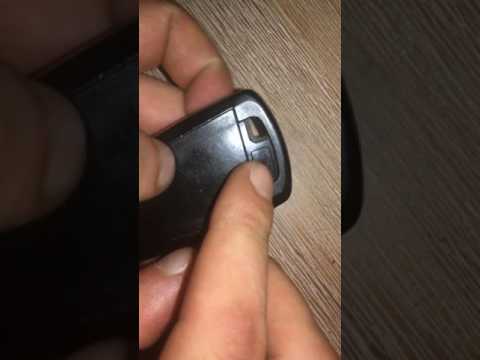
To replace the battery in the BMW Series 5 remote control, you need to press the button located on the top of the device so that the key inside the d…
Other guides you may be interested in
|
How to Remove the Oil Filter on a Toyota Yaris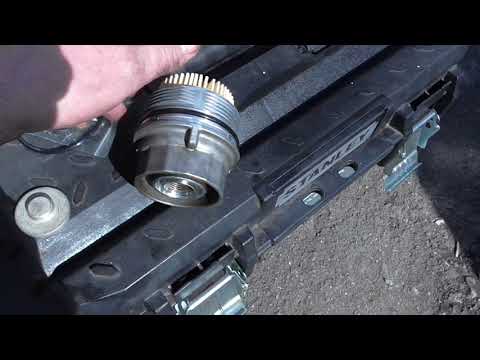
How to remove the oil filter on a Toyota Yaris? This is a simple operation if you follow the correct steps. Lift the car using a column lift or jack. After removing the cover panel (if present), use a socket spanner to unscrew the oil filter holder. Allow the oil to drain into a container for disposal. Remove the dirty and worn filter from the metal container; clean the container and insert a new filter. Screw the filter holder back into its designated housing using the appropriate spanner and lower the car once the job is complete. by ScegliAuto More videos
|

|
For advertising on this site Write to info@scegliauto.com
ScegliAuto is not responsible for any inaccuracy of the data in the lists. To report any inaccuracy or your business (if you own the business in question), please write to info@scegliauto.com
Number of seconds to generate the page: 0.121
(c) ScegliAuto 2026 - info@scegliauto.com - Privacy policy VAT number: IT01247470535 |
