
|
Do it yourself
| |||
| ||||


How to Disable the Start & Stop System on the BMW 3 Series F30
Model: BMW Serie 3
F30, F31
- Years 2012-2019
This guide illustrates the procedure to disable the Start & Stop system for the BMW 3 Series, model F30. Note that this procedure is also valid for other BMW models from the same years, provided they have an OBD2 port. You will need: a laptop, an Ethernet-OBD2 cable, and E-Sys software. Follow these steps in order: 1. Turn on the ignition, launch the E-Sys software, connect the cable, and then press the connection button; 2. Select the F020 coding; if you have a different model, find the corresponding coding for your model. Select the connect via VIN option and confirm by pressing Connect; 3. Click Read, then Save, to create a backup copy of the original settings of the control unit; 4. Right-click on the FA folder and click Activate FA; 5. Under SVT and then FEM_BODY, select the CAFD folder and right-click to click Read Coding Data; 6. Click Edit FDL and search the appearing folder for the term tcm_msa_default_off; 7. In the corresponding folder, navigate to Ausgelesen and select the aktiv option in the file inside. At this point, thanks to this option, the Start & Stop system will be permanently disabled; 8. Save everything to complete the procedure; 9. If you want to restore the Start & Stop system, go to step 7 and change the option from aktiv to nicht_aktiv.
Updated on 27 May 2026 by ScegliAuto
Video tutorial
Related tutorials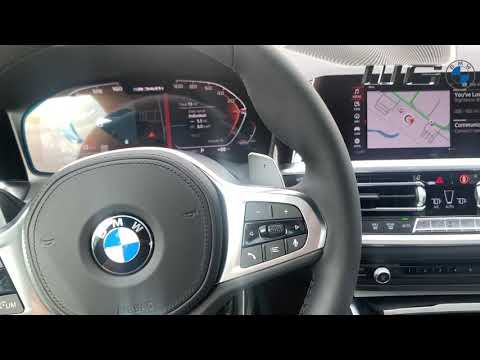
BMW Serie 3
(2019-2026 /
G20)
Today's instructions will show you how to manually disable the Start&Stop system on the BMW 3 Series by following these simple steps. First, get in t…
BMW Serie 3
(2012-2019 /
F30, F31)
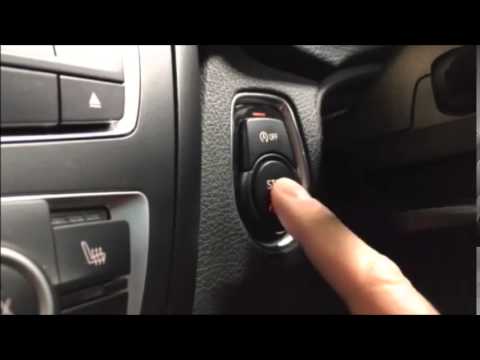
To disable the Start&Stop feature on the BMW 3 Series, press the designated button located above the engine start button. This button is positioned t…

BMW Serie 3
(2005-2013 /
E91, E90, E92)
In this video tutorial, you will see how to remove or enable the Start & Stop system on the BMW 3 Series by following a few simple steps that will gu…
Other guides you may be interested in
|
How to Connect the Cables to the Battery of the Citroen Xsara Picasso?
In this tutorial, you will see how to connect the cables to the battery of the Citroen Xsara Picasso, useful if you need to recharge it or perform an emergency start. First, ensure the key is not inserted, then open the bonnet and move to the front of the left headlamp. Next, locate the bolt just behind the filter box and connect the positive terminal clamp to it. Now you can connect the negative terminal to any point on the chassis, such as the indicated point. Once the operation is complete, ensure you disconnect the negative first and then the positive. by ScegliAuto More videos
|

|
For advertising on this site Write to info@scegliauto.com
ScegliAuto is not responsible for any inaccuracy of the data in the lists. To report any inaccuracy or your business (if you own the business in question), please write to info@scegliauto.com
Number of seconds to generate the page: 0.119
(c) ScegliAuto 2026 - info@scegliauto.com - Privacy policy VAT number: IT01247470535 |
