
|
Do it yourself
| |||
| ||||


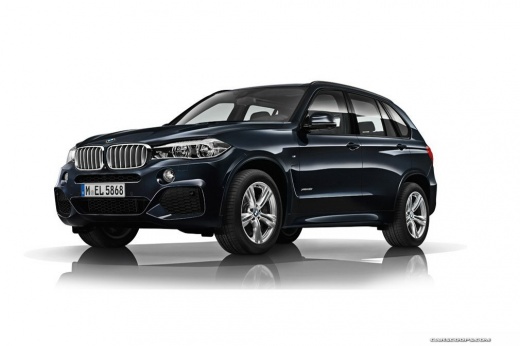
How to Reset the Tire Light on a BMW X5?
Model: BMW X5
F15
- Years:
2013, 2014, 2015, 2016, 2017, 2018
Video tutorial
In this tutorial, you will see how to reset the tire light on a BMW X5, a very simple and quick operation. Before proceeding, ensure that you have restored the correct pressure for each tire according to the specifications in the manual. Start by inserting the key and turning on the ignition, then press the "Menu" button on the center console and navigate to the "Vehicle information" section. Next, enter "Vehicle status", move the selector to "Perform reset", and confirm the reset. Verify that the operation was successful by restarting the vehicle.
Updated on 6 August 2026 by ScegliAuto
Related tutorials
BMW X5
(2013-2018 /
F15)
Follow these steps to reset the Tire Pressure Monitoring System (TPMS) light on the BMW X5. Before performing the reset, ensure all four tires are at…

BMW X5
(1999-2006 /
E53)
In this tutorial, you will learn how to reset the tire warning light on a BMW X5. This operation is extremely simple and quick, and should be done on…

BMW X5
(2013-2018 /
F15)
In this tutorial we can see how to reset the tire pressure warning light in the BMW X5, an extremely simple and quick operation, to be carried out on…
Other guides you may be interested in |
How to lower the rear seats in the Peugeot 206?
In this tutorial, you will see how to lower the rear seats in the Peugeot 206, a very simple and quick operation, for example, if you need more space in the boot. First, open both the doors and the tailgate, then unclip the seat base and position it vertically. Next, remove the horizontal partition, locate the release levers at the ends of both seatbacks, and, by operating them, lower the seatbacks. To reassemble everything, simply follow the reverse procedure. by ScegliAuto More videos
|
|
For advertising on this site Write to info@scegliauto.com
ScegliAuto is not responsible for any inaccuracy of the data in the lists. To report any inaccuracy or your business (if you own the business in question), please write to info@scegliauto.com
Number of seconds to generate the page: 0.075
(c) ScegliAuto 2026 - info@scegliauto.com - Privacy policy VAT number: IT01247470535 |
