
|
Do it yourself
| |||
| ||||


How to reset the service interval indicator on the BMW E90
Model: BMW Serie 3
E92, E90, E91
- Years 2005-2013
In the following article, we will explain the procedure to reset the maintenance interval indicator. To reset it, you first need to start the instrument panel, then press and hold the button on the panel until the oil indicator appears. Once the indicator appears, release the button and press and hold the BC button on the side of the turn signal control until the word RESET appears. At this point, release the button and press it again to confirm the reset procedure, wait for the procedure to finish, and restart the instrument panel.
Posted on 8 August 2024 by ScegliAuto
Video tutorial
Related tutorials
BMW Serie 3
(2005-2013 /
E92, E90, E91)
In this new guide dedicated to your BMW Serie 3 E90 (year 2005-2013), we will discover how to correctly perform the manual reset of the service indic…
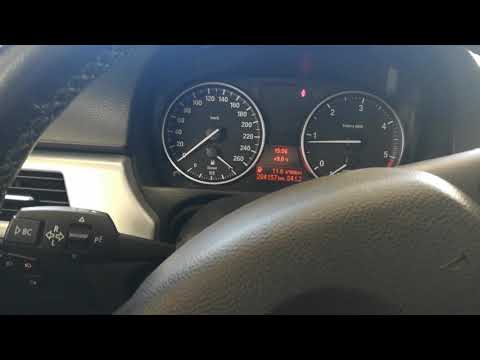
BMW Serie 3
(2005-2013 /
E92, E90, E91)
In this short guide we will see how to reset the oil change routine maintenance service light on the BMW 3 Series E90, but also on the E91 and E92. F…

BMW Serie 3
(2005-2013 /
E92, E90, E91)
If you own a BMW 3 Series e90 (2011) and want to learn how to manually reset the service light that remains on even after servicing your car, all you…
Other guides you may be interested in |
How to Remove the CV Boot on Fiat Panda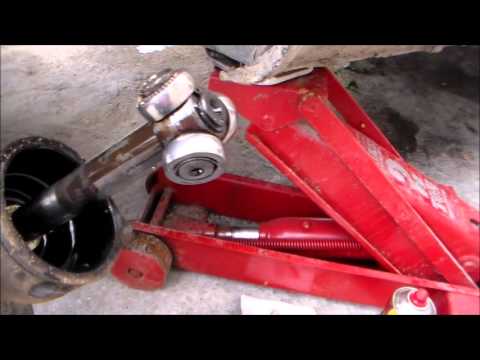
Let’s see how to remove the boot from the joint on a Fiat Panda. After positioning your car on a column lift: raise it to a comfortable height to work on, loosen the wheel nuts (using a socket wrench or air drill) and remove the wheel. Begin unscrewing the brake disc bolts with a socket wrench. Remove the bolts located under the disc and completely detach the wheel hub. Pull the arm around the joint with your hands. Fit the new boot (after removing the old one) onto the constant velocity joint, then start reassembling all the parts in reverse order. by ScegliAuto More videos
|

|
For advertising on this site Write to info@scegliauto.com
ScegliAuto is not responsible for any inaccuracy of the data in the lists. To report any inaccuracy or your business (if you own the business in question), please write to info@scegliauto.com
Number of seconds to generate the page: 0.043
(c) ScegliAuto 2026 - info@scegliauto.com - Privacy policy VAT number: IT01247470535 |
