
|
Do it yourself
| |||
| ||||


How to Program a New Key for the Buick Regal?
Model: Buick Regal
MK 5
- Years:
2009, 2010, 2011, 2012, 2013, 2014, 2015, 2016, 2017
Video tutorial
You purchased an aftermarket key for your Buick Regal but don't want to have it programmed by the dealership? You can save some money by programming it yourself. Let's see how to do it by following the instructions in this video. Get a timer (the one on your phone will work) and insert the new key into the ignition cylinder, turn it to the ON position, and wait for 10 minutes and 15 seconds. Turn it to the OFF position and then back to ON for the same amount of time. Do this one more time. Finally, set the key to OFF, then to ON, and start the engine!
Updated on 18 June 2026 by ScegliAuto
Related tutorials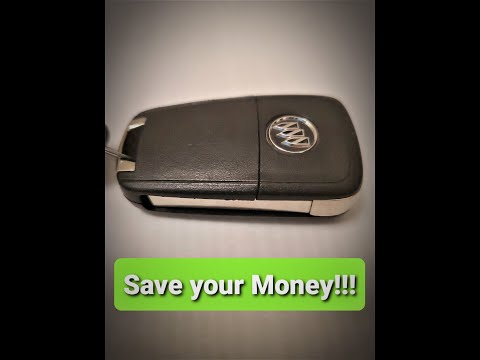
Buick Regal
(2009-2017 /
MK 5)
Today, let's go through the instructions to program the remote key for the Buick Regal. First, get inside the vehicle and remove the rubber cover fro…

Buick Regal
(2009-2017 /
MK 5)
You can replace the headlight bulb on the Buick Regal by opening the hood to access the components inside the engine compartment: inside the headligh…

Buick Regal
(2009-2017 /
MK 5)
Follow these main steps to remove and replace the headlight bulb on your Buick Regal. First, open the hood of your car and start by removing the plas…
Other guides you may be interested in
|
How to Reset the Tyre Pressure Warning Light on a Peugeot 2008?
On the instrument cluster of the Peugeot 2008, the tyre pressure warning light that appears can be reset by turning on the ignition, allowing access to the menu that will appear on the central display: press the button with the car icon located just below the display. At this point, scroll through the screen that appears, selecting the option that allows you to reset the tyre warning light: selecting it will bring up a confirmation message, where you can select "Yes" to completely reset the low pressure warning light. by ScegliAuto More videos
|
|
For advertising on this site Write to info@scegliauto.com
ScegliAuto is not responsible for any inaccuracy of the data in the lists. To report any inaccuracy or your business (if you own the business in question), please write to info@scegliauto.com
Number of seconds to generate the page: 0.087
(c) ScegliAuto 2026 - info@scegliauto.com - Privacy policy VAT number: IT01247470535 |
