
|
Do it yourself
| |||
| ||||



How to Reset the Service Light on a Chevrolet Captiva?
Model: Chevrolet Captiva
- Years:
2006, 2007, 2008, 2009, 2010, 2011, 2012, 2013, 2014, 2015, 2016, 2017
Video tutorial
In this tutorial, you can see how to reset the service light on a Chevrolet Captiva, a very simple and quick operation to perform only after completing all scheduled maintenance tasks. First, get inside the cabin, then insert the key and turn on the ignition, not the engine. Next, press the brake pedal three times in quick succession, turn off the ignition, turn it back on, and check that the procedure was successful. If not, repeat it, ensuring to complete it within ten seconds.
Posted on 17 October 2026 by ScegliAuto
Related tutorials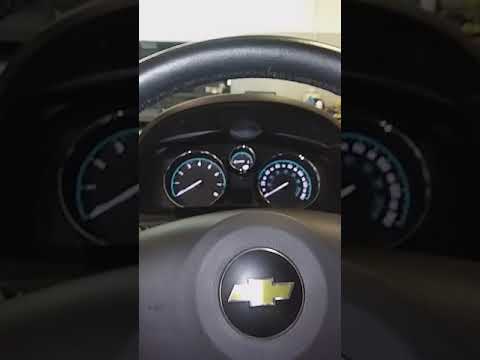
Chevrolet Captiva
(2006-2018 /
MK 1)
Resetting the service light on a Chevrolet Captiva, as shown in this tutorial, is an extremely simple and quick operation. Before proceeding, ensure …

Chevrolet Captiva
(2006-2018 /
MK 1)
In this tutorial, we will see how to reset the service on the Chevrolet Captiva, a very simple and quick operation to be carried out only after compl…

Chevrolet Captiva
(2006-2018 /
MK 1)
.. In this tutorial, we will see how to reset the service light on a Chevrolet Captiva, a very simple and quick operation to perform only.. …
Other guides you may be interested in
|
How to Open the Hood of the Mercedes GLC?
To open the hood of the Mercedes GLC, go inside the cabin on the driver's side to locate the red lever at the bottom of the dashboard on the left. Once you find this lever, pull it back to unlock the hood latch mechanism. After the mechanism is unlocked, exit the cabin and move the latch corresponding to the mechanism to fully release the hood. At this point, you can lift it and access the engine compartment. by ScegliAuto More videos
|
|
For advertising on this site Write to info@scegliauto.com
ScegliAuto is not responsible for any inaccuracy of the data in the lists. To report any inaccuracy or your business (if you own the business in question), please write to info@scegliauto.com
Number of seconds to generate the page: 0.110
(c) ScegliAuto 2026 - info@scegliauto.com - Privacy policy VAT number: IT01247470535 |
