
|
Do it yourself
| |||
| ||||


How to reset the service light on the Citroen C4 Cactus
Model: Citroen C4
Cactus
- Years:
2014, 2015, 2016, 2017, 2018, 2019, 2020
Video tutorial
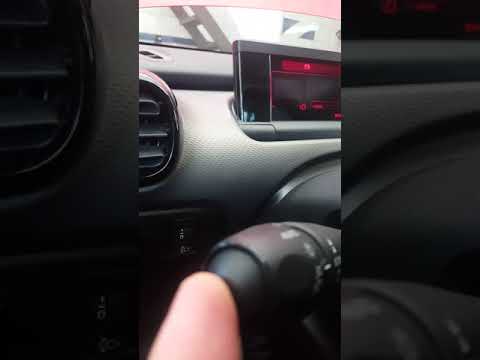
When the service light on your Citroen C4 Cactus continues to illuminate on the instrument cluster display even after servicing the car, you need to perform a manual reset. Below, we will discover how to complete this operation. First, get into the car, then turn on the ignition while simultaneously pressing the button located at the end of the lever on the left side of the steering wheel. Finally, wait ten seconds and release the button on the left lever to complete the reset.
Updated on 23 October 2026 by ScegliAuto
Related tutorials
Citroen C4
(2014-2020 /
Cactus)
We can see in this video how to reset the service light on a Citroen C4 Cactus: with the ignition off and the doors closed, press and hold the reset …
Citroen C4
(2020-2026 /
MK 3)
Resetting the Service light on the Citroën C4 Cactus is done by pressing the button located at the end of the lever on the left of the steering wheel…

Citroen C4
(2014-2020 /
Cactus)
Today's information will allow us to reset the tire pressure warning light on the Citroen C4 Cactus; before resetting the TPMS sensors, it is necessa…
Other guides you may be interested in
|
How to Set the Clock on the 2024 Toyota Aygo X
The steps to set the clock on the onboard computer of a 2024 Toyota Aygo X are simple and quick to perform independently. First, turn on the instrument cluster of the vehicle. Second, press the menu button on the onboard computer. Third, select the "configuration" option from the onboard computer. Fourth, select the "clock" option to set the desired hours and minutes. Fifth, return to the main menu and restart the instrument cluster. by ScegliAuto More videos
|
|
For advertising on this site Write to info@scegliauto.com
ScegliAuto is not responsible for any inaccuracy of the data in the lists. To report any inaccuracy or your business (if you own the business in question), please write to info@scegliauto.com
Number of seconds to generate the page: 0.065
(c) ScegliAuto 2026 - info@scegliauto.com - Privacy policy VAT number: IT01247470535 |
