
|
Do it yourself
| |||
| ||||



How to Remove the Brake Light on a Citroen Berlingo
Model: Citroen Berlingo
MK 2
- Years:
2008, 2009, 2010, 2011, 2012, 2013, 2014, 2015, 2016, 2017, 2018
Video tutorial
In this video, you can see how to remove the rear light cluster on a Citroen Berlingo. It is good practice to use a penetrating oil on the screws that hold the light, which can be accessed by opening the rear tailgate. After it has taken effect, remove them with pliers. From the inside of the vehicle, it is advisable to wear gloves, as the edges, especially if it is an older and heavily used vehicle like the one in the video, may be sharp. You will find two clips, one that you can remove by hand and one inside the housing that will require a screwdriver. This way, you can pull the light cluster towards you, from which you will disconnect the electrical connectors. Remove the rubber cover and replace the burnt-out bulbs. Reassembly is done in reverse order, and take the opportunity to give it a good clean.
Posted on 30 January 2026 by ScegliAuto
Related tutorials
Citroen Berlingo
(2008-2018 /
MK 2)
In the following article, we will explain how to replace the license plate light of the Citroen Berlingo. For this operation, a flathead screwdriver …

Citroen Berlingo
(2018-2026 /
MK 3)
This video shows how to deactivate the electronic handbrake on a Citroen Berlingo; the same procedure applies to the Peugeot Partner and Vauxhall/Ope…

Citroen Berlingo
(1996-2013 /
MK 1)
If you own a Citroen Berlingo and want to learn how to correctly replace the number plate light, follow the steps described in this guide. First, go …
ScegliAuto offers an extensive international collection of automotive tutorials available in 12 languages. Each guide combines instructional videos with original explanations written by experienced human editors, along with information about the car models covered.
Other guides you may be interested in |
What does the "Code 82" message indicate in the Chevrolet Orlando and how to remove it?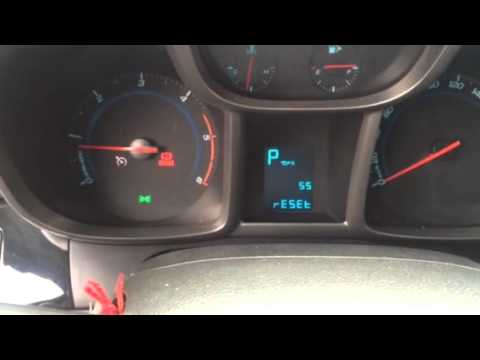
If the "Code 82" message appears on the dashboard of your Chevrolet Orlando, it means that the service interval in miles or time has been reached. Once all scheduled maintenance tasks are completed, you can remove the warning by following the simple procedure shown in this tutorial. First, insert the key and turn on the ignition, then press the "MENU" button located on the left control stalk and navigate to the screen displaying the "Reset" option. At this point, press the "SET/CLR" button at the end of the same stalk and confirm the reset. by ScegliAuto More videos
|
|
For advertising on this site Write to info@scegliauto.com
ScegliAuto is not responsible for any inaccuracy of the data in the lists. To report any inaccuracy or your business (if you own the business in question), please write to info@scegliauto.com
Number of seconds to generate the page: 0.011
(c) ScegliAuto 2026 - info@scegliauto.com - Privacy policy - About us VAT number: IT01247470535 |
