
|
Do it yourself
| |||
| ||||


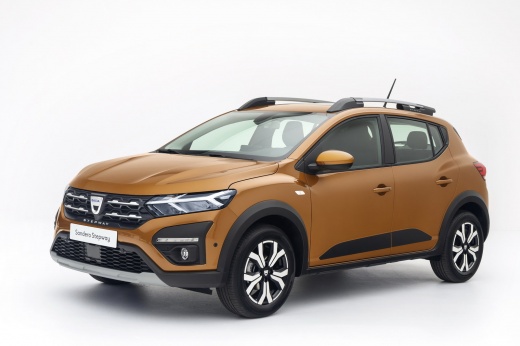
How to deactivate the Start & Stop in the Dacia Sandero?
Model: Dacia Sandero
MK 3
- Years:
2021, 2022, 2023, 2024, 2025, 2026
Video tutorial
In this tutorial we can see how to deactivate the Start & Stop in the Dacia Sandero, an extremely simple and quick operation to be carried out in case we find this system too intrusive. First of all, let's go inside the cabin, then insert the key and start the vehicle. We then locate the button depicting an "A" circled and the word "OFF" placed in the central console and press it. In the central display, we will then see the confirmation message. The deactivation of the system is not permanent, however, and will have to be repeated at each vehicle start-up.
Posted on 24 January 2025 by ScegliAuto
Related tutorials
Dacia Sandero
(2012-2020 /
B8)
To permanently disable the Start/Stop system on a Dacia Sandero, you need to work in the engine bay. Open the bonnet and locate the IBS sensor connec…

Dacia Sandero
(2021-2026 /
MK 3)
The START&STOP function on Dacia Sandero vehicles allows to reduce fuel consumption and gas emissions by putting the engine on standby when the vehic…

Dacia Sandero
(2021-2026 /
MK 3)
Although it shouldn't be so, for many drivers, the start & stop system is a hassle. In reality, this component only activates when the battery is at …
Other guides you may be interested in
|
Frequently Asked QuestionsHow to Set the Time in an Audi A4?
In this tutorial, you will see how to set the time in an Audi A4, a very simple and quick operation to perform after replacing the battery or when the time changes. First, insert the key and turn on the instrument cluster. Then, press the "SETUP" button located on the center console. Next, press the upper left arrow button, navigate to the "Time" option, and use the central knob to adjust the clock. Finally, set any necessary formats and save by returning to the main screen. by ScegliAuto More videos
|
|
For advertising on this site Write to info@scegliauto.com
ScegliAuto is not responsible for any inaccuracy of the data in the lists. To report any inaccuracy or your business (if you own the business in question), please write to info@scegliauto.com
Number of seconds to generate the page: 0.078
(c) ScegliAuto 2026 - info@scegliauto.com - Privacy policy VAT number: IT01247470535 |
