
|
Do it yourself
| |||
| ||||


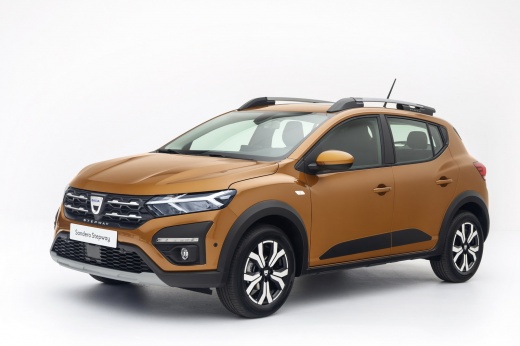
How do you replace the headlight bulb of the Dacia Sandero Stepway?
Model: Dacia Sandero
MK 3
- Years:
2021, 2022, 2023, 2024, 2025, 2026
Video tutorial
Let's see how to replace the burnt bulb of the rear light of a Dacia Sandero Stepway, specifying that we will focus on the rear light. To help us, we find the video attached here, in which we will see all the work phases. After opening the engine hood, it is necessary to unscrew the internal fixing screw of the optical group, freeing it and pulling it outwards. After that, we disconnect the rear connector of the power cables, release the four fasteners of the lamp holder plate and open it. We are almost done, all that remains is to remove the broken bulb, insert the new one and reassemble everything.
Posted on 17 September 2025 by ScegliAuto
Related tutorials
Dacia Sandero
(2012-2020 /
B8)
Before you begin, sit in the driver's seat of your Dacia Sandero Stepway. Start by repeatedly pressing the button located at the end of the right ind…

Dacia Sandero
(2012-2020 /
B8)
This guide explains how to remove and replace the cabin light bulb on a second-generation Dacia Sandero, Stepway version, as well as on the Duster. F…

Dacia Sandero
(2012-2020 /
B8)
To replace the front headlight bulb on the Dacia Sandero Stepway, open the bonnet to access the engine compartment. Next, remove the protective cap f…
ScegliAuto offers an extensive international collection of automotive tutorials available in 12 languages. Each guide combines instructional videos with original explanations written by experienced human editors, along with information about the car models covered.
Other guides you may be interested in
|
How to Set the Time and Date on the Toyota Yaris
In just a few simple steps, you will learn how to set the date and time on the Toyota Yaris by following the instructions below. First, get inside the vehicle and turn on the instrument panel; then go to the vehicle settings from the central display and select the clock option, as shown in the video. From here, you can set the time by adjusting the hours and minutes; if necessary, set the date and both formats, including automatic time via GPS, and finally exit the settings menu to save the changes made. by ScegliAuto More videos
|
|
For advertising on this site Write to info@scegliauto.com
ScegliAuto is not responsible for any inaccuracy of the data in the lists. To report any inaccuracy or your business (if you own the business in question), please write to info@scegliauto.com
Number of seconds to generate the page: 0.081
(c) ScegliAuto 2026 - info@scegliauto.com - Privacy policy - About us VAT number: IT01247470535 |
