
|
Do it yourself
| |||
| ||||


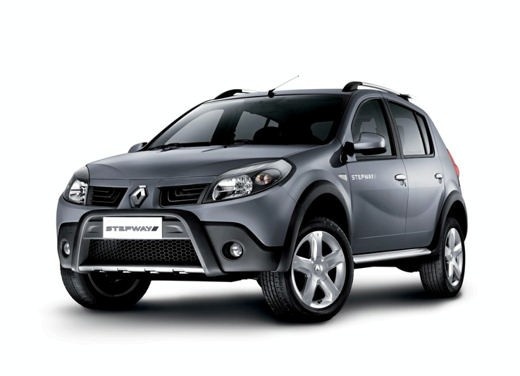
How to Deactivate Start&Stop on the Dacia Sandero
Model: Dacia Sandero
BS
- Years:
2008, 2009, 2010, 2011, 2012
Video tutorial
The start&stop function is designed to significantly reduce emissions and avoid pollution with the engine running when stationary in traffic. With the function active, whenever the vehicle stops, the engine turns off and restarts as soon as you press the clutch or accelerator pedal. This obviously requires a more efficient battery and charging system. This function can also be deactivated using the corresponding button located on the centre console, just below the handbrake lever.
Updated on 1 March 2026 by ScegliAuto
Related tutorials
Dacia Sandero
(2012-2020 /
B8)
To permanently disable the Start/Stop system on a Dacia Sandero, you need to work in the engine bay. Open the bonnet and locate the IBS sensor connec…

Dacia Sandero
(2021-2026 /
MK 3)
On the Dacia Sandero 2024, the Start/Stop function can be disabled either temporarily or permanently. For the first procedure: with the engine runnin…

Dacia Sandero
(2021-2026 /
MK 3)
In this tutorial we can see how to deactivate the Start & Stop in the Dacia Sandero, an extremely simple and quick operation to be carried out in cas…
Other guides you may be interested in
|
How to Remove the Toll Tag Holder from the Car Windscreen
The toll tag holder is usually attached to the car windscreen to ensure that the toll tag functions immediately when passing through barriers. However, if you decide to remove the holder, you should follow this procedure: - Insert the toll tag into the holder; - Pull the holder inwards to detach it from the windscreen; you can use a glass scraper or a stiff plastic card to assist you; After removing the holder, it is essential to remove the adhesive from the windscreen. To remove the adhesive, we recommend using a solvent-based spray that will remove the glue without clouding the area. by ScegliAuto More videos
|
|
For advertising on this site Write to info@scegliauto.com
ScegliAuto is not responsible for any inaccuracy of the data in the lists. To report any inaccuracy or your business (if you own the business in question), please write to info@scegliauto.com
Number of seconds to generate the page: 0.073
(c) ScegliAuto 2026 - info@scegliauto.com - Privacy policy VAT number: IT01247470535 |
