
|
Do it yourself
| |||
| ||||


How to Reset the Tyre Pressure Light in a Dacia Duster
Model: Dacia Duster
HS, MK 1
- Years 2010-2017
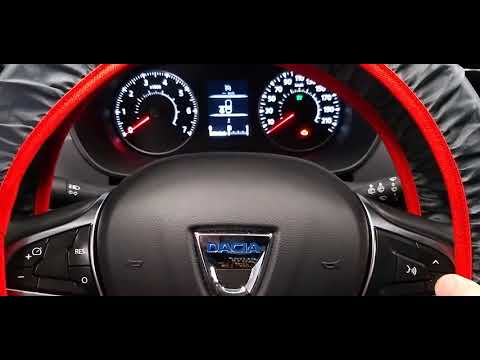
In this tutorial, we will see how to reset the tyre pressure light in a Dacia Duster, a very simple and quick operation to be performed only after restoring the correct pressure in each tyre according to the instructions in the manual. First, go inside the cabin, then insert the key and turn on the ignition. Next, scroll through the various display information using the button at the end of the right lever, reach the "SET TP" option, and hold the same button until the light disappears from the dashboard.
Posted on 25 August 2026 by ScegliAuto
Video tutorial
Related tutorials
Dacia Duster
(2010-2017 /
HS, MK 1)
Today, we will explain how to reset the tyre pressure warning light on a Dacia Duster vehicle. To reset the light, we need to turn on the instrument …
Dacia Duster
(2017-2024 /
HM, MK 2)
Before starting, sit in the driver's seat of your Dacia Duster. Begin by activating the instrument panel by pressing the ignition button. Then, repea…

Dacia Duster
(2017-2024 /
HM, MK 2)
Today, I will explain how to reset the TPMS light related to tyre pressure on the Dacia Duster mk2, produced from 2017 to 2024. To reset the TPMS lig…
Other guides you may be interested in
|
How to Check the Oil Level on a Jeep Renegade?
To check the oil level on a Jeep Renegade, you need to open the bonnet to access the components inside the engine bay: on the lower left side of the engine block, you will find the dipstick for checking the level. This should be pulled out and thoroughly cleaned with a cloth: once cleaned, reinsert it back into its tube and pull it out immediately after. This way, you can check that the oil mark is between the minimum and maximum levels; finally, you can place the dipstick back in its tube. by ScegliAuto More videos
|
|
For advertising on this site Write to info@scegliauto.com
ScegliAuto is not responsible for any inaccuracy of the data in the lists. To report any inaccuracy or your business (if you own the business in question), please write to info@scegliauto.com
Number of seconds to generate the page: 0.119
(c) ScegliAuto 2026 - info@scegliauto.com - Privacy policy VAT number: IT01247470535 |
