
|
Do it yourself
| |||
| ||||


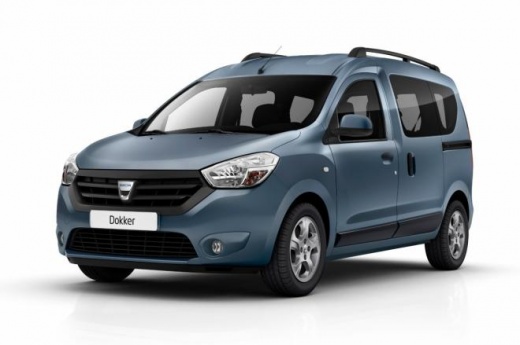
Where to Find the VIN Number on a Dacia Dokker
Model: Dacia Dokker
- Years:
2013, 2014, 2015, 2016, 2017, 2018, 2019, 2020, 2021, 2022, 2023, 2024
Video tutorial
In this video, we will locate the VIN (Vehicle Identification Number) on the chassis of the Dacia Dokker. The number, stamped for vehicle identification, is found by opening the passenger door, in the space between the door and the chassis, as shown in the video, at the lower part relative to the hinge. You can also find the same number on the left front of the windscreen, on a metal label; on the metal sticker located on the right door pillar, along with the identifying data for the interior and exterior colour, and of course in the vehicle registration document, section 2 letter E).
Posted on 4 November 2026 by ScegliAuto
Related tutorials
Dacia Dokker
(2013-2024 /
MK 1)
To set the clock on the Dacia Dokker, turn on the instrument panel to access the corresponding menu items. You can scroll by pressing the up arrow bu…

Dacia Dokker
(2013-2024 /
MK 1)
In this video, we can see where the EOBD (European On Board Diagnostic) socket is located on the Dacia Dokker. This socket is essential for accuratel…

Dacia Dokker
(2013-2024 /
MK 1)
The fuse for the cigarette lighter socket on a Dacia Dokker vehicle is located inside the fuse box behind the driver's side glove compartment. To rep…
Other guides you may be interested in
|
How to Activate the Disabled TRC on the Toyota Yaris?
As the video clearly shows, disabling or activating the traction control (TRC or ESP) on the Toyota Yaris is very simple. By default, the traction system activates every time the vehicle is started. To disable it, simply press the button depicting a skidding car located in the centre of the vehicle where the controls are, such as the hazard lights and the radio, but near the handbrake. Once disabled, the TRC off light will illuminate on the dashboard. To reactivate it, just press the same button again. by ScegliAuto More videos
|
|
For advertising on this site Write to info@scegliauto.com
ScegliAuto is not responsible for any inaccuracy of the data in the lists. To report any inaccuracy or your business (if you own the business in question), please write to info@scegliauto.com
Number of seconds to generate the page: 0.012
(c) ScegliAuto 2026 - info@scegliauto.com - Privacy policy VAT number: IT01247470535 |
