
|
Do it yourself
| |||
| ||||


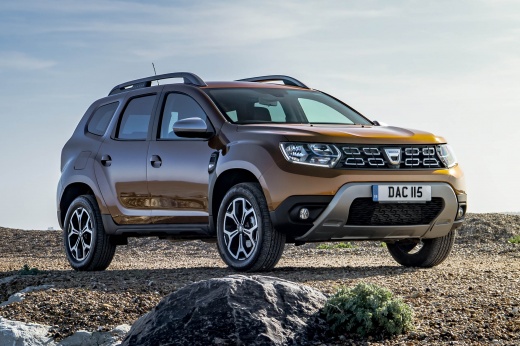
How to Reset the Service Light on a Dacia Duster?
Model: Dacia Duster
- Years:
2017, 2018, 2019, 2020, 2021, 2022, 2023, 2024
Video tutorial
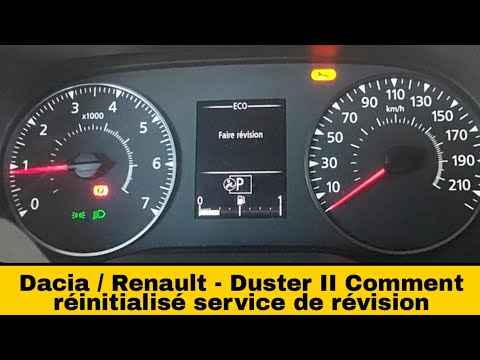
The Service light displayed on the instrument panel of the Dacia Duster can be cleared by inserting the key and turning it to activate the instrument panel, ensuring that the spanner light illuminates. To clear it, navigate through the menu using the directional controls located on the right side of the steering wheel. Scroll through the menu until you reach the maintenance intervals and the remaining kilometres until the next service. Hold down the button with the upward arrow; the display will start to flash, then stabilise, turning off the light.
Posted on 13 November 2026 by ScegliAuto
Related tutorials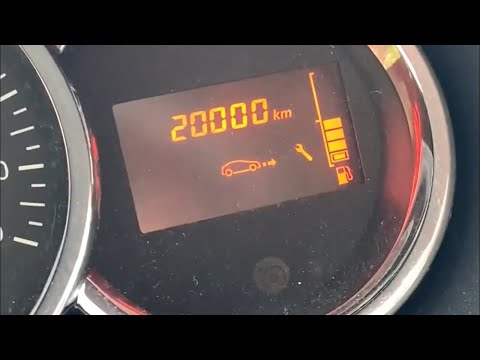
Dacia Duster
(2010-2017 /
MK 1, HS)
Before you can start, sit in the driver's seat of your Dacia Duster. Begin by activating the instrument cluster by simply turning the key in the igni…

Dacia Duster
(2010-2017 /
MK 1, HS)
It will be possible to reset the Service light of the Dacia Duster by starting the procedure with the instrument panel off: while the latter is deact…
Dacia Duster
(2017-2024 /
HM, MK 2)
To reset the Service light on the Dacia Duster, insert the key and turn it to activate the instrument cluster, noting the illumination of the spanner…
Other guides you may be interested in
|
Frequently Asked QuestionsHow to Open the Fuel Door of the MG ZS?
To open the fuel door of the MG ZS, access the interior of the vehicle to locate the lever that unlocks the fuel door. This lever is located on the lower left side of the dashboard, near the steering column. Pull the lever to open the fuel door, allowing you to unscrew the cap underneath for refueling. After refueling, replace the fuel cap and securely close the fuel door. by ScegliAuto More videos
|
|
For advertising on this site Write to info@scegliauto.com
ScegliAuto is not responsible for any inaccuracy of the data in the lists. To report any inaccuracy or your business (if you own the business in question), please write to info@scegliauto.com
Number of seconds to generate the page: 0.198
(c) ScegliAuto 2026 - info@scegliauto.com - Privacy policy VAT number: IT01247470535 |
