
|
Do it yourself
| |||
| ||||


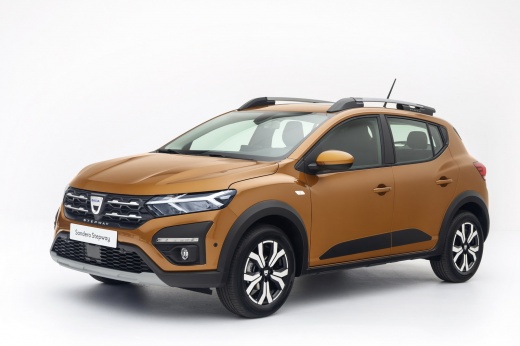
Operation of Lights and Indicators on the Dacia Sandero Stepway
Model: Dacia Sandero
MK 3
- Years:
2021, 2022, 2023, 2024, 2025, 2026
This video is currently unavailable
Learn how the indicators and lights work on the Dacia Sandero Stepway: the daytime running lights turn on automatically. The position lights activate by setting the selector to the double illuminated semi-sphere; for the dipped beams, move to the next symbol. Some models also have automatic lights that turn on with the external light intensity. In this case, simply set the selector to "auto". The main beams activate only with the dipped beams on by pushing the control lever forward. To activate the fog lights, the dipped beams must also be on: rotate the inner ring of the lever upwards and release it. To turn on the rear fog light, rotate it downwards instead. Repeat these same actions to switch them off. When activated, warning lights will illuminate; green for the front, orange for the rear. You can adjust the height of the light beams if the vehicle is heavily loaded; move the knob up or down located at the bottom left under the steering wheel. The "flash" mode allows you to use the indicator without engaging it, as touching it once will flash three times. A large double triangle on the centre console activates the hazard warning lights.
Updated on 29 June 2026 by ScegliAuto
Related tutorials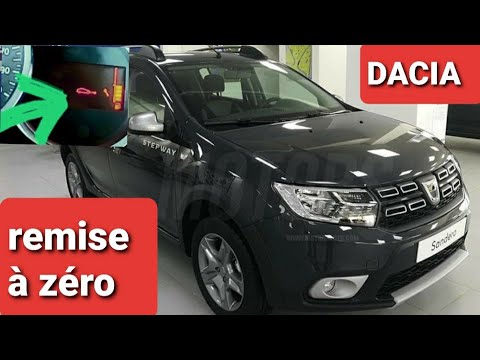
Dacia Sandero
(2012-2020 /
B8)
Before you begin, sit in the driver's seat of your Dacia Sandero Stepway. Start by repeatedly pressing the button located at the end of the right ind…
Dacia Sandero
(2012-2020 /
B8)
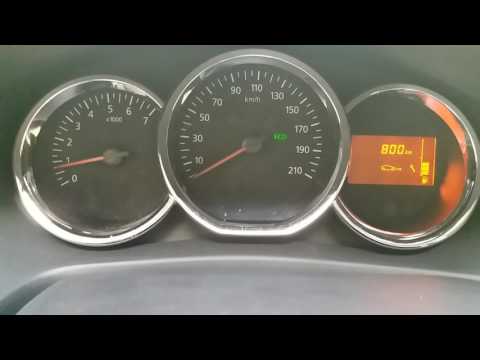
In today's video, you will see how the instrument cluster works in the Dacia Sandero Stepway. To access the onboard computer, use the button on the r…

Dacia Sandero
(2008-2012 /
BS)
Are the headlights of your Dacia Sandero Stepway not working? Follow this guide to replace the bulbs. Open the bonnet and secure it. Remove the rubbe…
ScegliAuto offers an extensive international collection of automotive tutorials available in 12 languages. Each guide combines instructional videos with original explanations written by experienced human editors, along with information about the car models covered.
Other guides you may be interested in
|
Frequently Asked QuestionsHow to Open the Bonnet of the Peugeot 206
Today's guide will show you the procedure necessary to open the bonnet of the Peugeot 206 in simple and quick steps. First, open the driver's front door and start pulling the small lever that releases the bonnet lock (located at the bottom); then move to the front of your car and lift the tab found in the centre of the bonnet (near the manufacturer's badge), as shown in the video. At this point, secure the prop rod on the bonnet to hold it up, ensuring it is perfectly inserted! by ScegliAuto More videos
|
|
For advertising on this site Write to info@scegliauto.com
ScegliAuto is not responsible for any inaccuracy of the data in the lists. To report any inaccuracy or your business (if you own the business in question), please write to info@scegliauto.com
Number of seconds to generate the page: 0.026
(c) ScegliAuto 2026 - info@scegliauto.com - Privacy policy - About us VAT number: IT01247470535 |
