
|
Do it yourself
| |||
| ||||


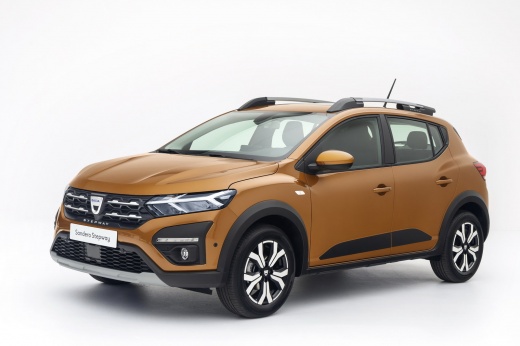
How do you reset the tire pressure warning light on the Dacia Sandero Stepway?
Model: Dacia Sandero
MK 3
- Years 2021-2026
In order to reset the tire pressure sensor of the Dacia Sandero, you first need to adjust the tire pressure to the correct inflation value, which is written on the sticker inside the driver's door pillar. Once all the tires have been inflated to this value, you can turn on the instrument panel. Then, you need to navigate to the menu that appears on the display using the controls on the right side of the steering wheel. When the option indicating tire pressure appears, you need to press and hold the OK button until the reset is completed.
Posted on 16 July 2023 by ScegliAuto
Video tutorial
Related tutorials
Dacia Sandero
(2021-2026 /
MK 3)
To reset the tire pressure warning light of the Dacia Sandero Stepway, you need to inflate the tires until they reach the recommended pressure value:…

Dacia Sandero
(2021-2026 /
MK 3)
To reset the tire pressure warning light on the Dacia Sandero Stepway, turn on the instrument panel and navigate through the options that appear on t…

Dacia Sandero
(2021-2026 /
MK 3)
The tire pressure warning light displayed on the instrument panel of the Dacia Sandero Stepway can be reset by inflating the tires to the recommended…
Other guides you may be interested in
|
How to Replace the Wing of the Fiat Punto
First, release the bonnet using the appropriate lever in your vehicle. Then, lift it and secure it with the prop rod. Now, remove the bolts indicated in the video, as well as the screws that secure the inner part of the wing to the bumper, as shown in the video. Additionally, you will need to remove some hidden screws highlighted in the video. Remove the bolts securing the lower part of the wing. After checking and removing all the bolts indicated in the video, you can proceed to extract the part from your vehicle. by ScegliAuto More videos
|
|
For advertising on this site Write to info@scegliauto.com
ScegliAuto is not responsible for any inaccuracy of the data in the lists. To report any inaccuracy or your business (if you own the business in question), please write to info@scegliauto.com
Number of seconds to generate the page: 0.056
(c) ScegliAuto 2026 - info@scegliauto.com - Privacy policy VAT number: IT01247470535 |
