
|
Do it yourself
| |||
| ||||


How to Reset the Oil Light on the Dodge Caravan
Model: Dodge Dodge Various
This video is currently unavailable
If the orange engine oil light continues to illuminate on the dashboard of your Dodge Caravan and you want to know how to manually reset this light, read the following guide carefully and follow the instructions. First, enter the cabin and start the procedure with the ignition off. Then, turn it on and press the accelerator pedal three times in quick succession, after which turn off and turn on the ignition again. At the same time, keep the accelerator pedal pressed until the light reset is complete.
Updated on 12 August 2026 by ScegliAuto
Related tutorials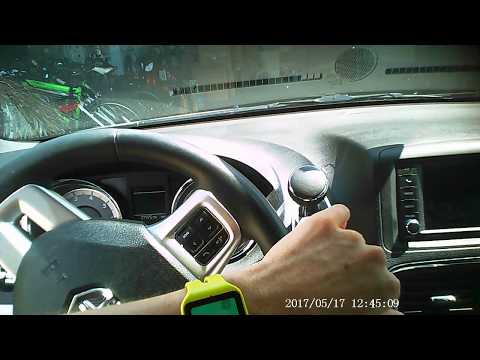
Dodge Dodge Various
To reset the uConnect system on the Dodge Grand Caravan, press and hold the phone button located at the top left of the radio display. Keep it presse…

Dodge Dodge Various
If you want to manually change the time displayed on your Dodge Grand Caravan, follow these simple steps. First, enter the cabin and start the instru…

Dodge Dodge Various
In this video, see the location and diagram of the fuses for the second version of the Dodge Grand Caravan: this vehicle, unlike most modern cars, do…
ScegliAuto offers an extensive international collection of automotive tutorials available in 12 languages. Each guide combines instructional videos with original explanations written by experienced human editors, along with information about the car models covered.
Other guides you may be interested in
|
Location of the Fuse Box in the VW Golf 5
Inside the Volkswagen Golf 5, there are two fuse boxes. The first box is located at the end of the left dashboard. The second box is located in the engine compartment, near the battery. On the cover of both boxes, the voltage/amperage and the designation of the fuses present inside the box are indicated. Each fuse corresponds to an electrical component of the car. In case of a fuse malfunction, open the box and use pliers to remove it, then insert the new fuse using the pliers. by ScegliAuto More videos
|
|
For advertising on this site Write to info@scegliauto.com
ScegliAuto is not responsible for any inaccuracy of the data in the lists. To report any inaccuracy or your business (if you own the business in question), please write to info@scegliauto.com
Number of seconds to generate the page: 0.051
(c) ScegliAuto 2026 - info@scegliauto.com - Privacy policy - About us VAT number: IT01247470535 |
