
|
Do it yourself
| |||
| ||||


How to reset the service warning light in the DR Evo 5
Model: DR 5
MK 1
- Years 2007-2022
In today's video we see how to reset the service warning light in the DR5 Evo. First of all we remember the importance of carrying out the maintenance recommended by the parent company and reported in the user manual. At this point we identify the button located on the instrument panel of the car. Keep it pressed and simultaneously turn the ignition key. After a few seconds the operation in question will be completed. Once this is done, the schedule will be brought back to 12 months and 15,000 km, which is the next warning that will appear in the car. Finally, we can turn off the car and proceed normally.
Posted on 9 November 2022 by ScegliAuto
Video tutorial
Related tutorials
DR 5
(2007-2022 /
MK 1)
Don't worry because resetting the Service on a car like this is quite simple, just follow these steps calmly and you will also be able to do it in DI…

DR 5
(2007-2022 /
MK 1)
The replacement of the rear headlight bulb of the DR 5 can be carried out by completely removing the panel located on the side of the trunk. Once the…
Other guides you may be interested in
|
How to Remove the Diesel Filter on a Ford Focus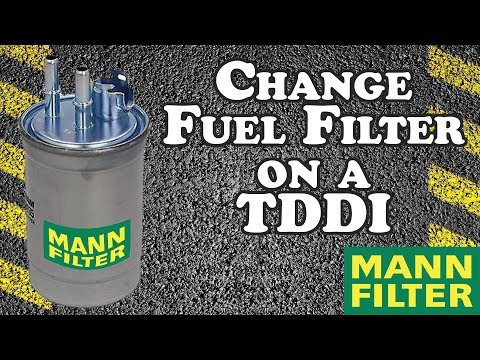
How to remove the diesel filter on a Ford Focus? Lift the car on a column lift or suitable jack (if necessary), locate the diesel filter as shown in the video. Use a screwdriver to unscrew the metal piece that secures the filter (you can also use a socket spanner). After disconnecting all the circulation pipes and the fuel cable: remove the diesel filter housing from the vehicle (replace it with a new one). Finally, refit the filter to the attached diesel filter housing (connect the pipes and cables) and tighten the appropriate bolts. Close the bonnet. by ScegliAuto More videos
|
For advertising on this site Write to info@scegliauto.com
ScegliAuto is not responsible for any inaccuracy of the data in the lists. To report any inaccuracy or your business (if you own the business in question), please write to info@scegliauto.com
Number of seconds to generate the page: 0.201
(c) ScegliAuto 2026 - info@scegliauto.com - Privacy policy VAT number: IT01247470535 |
