
|
Do it yourself
| |||
| ||||


How do you reset the infotainment system of the DS 7?
Model: DS DS 7
MK 1
- Years 2020-2026
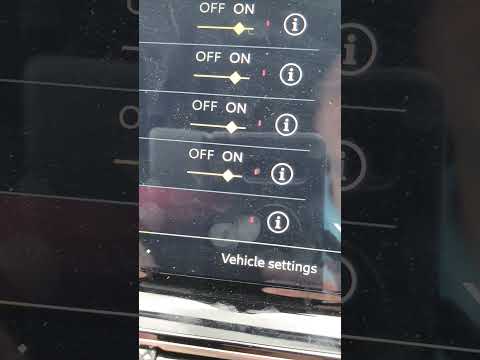
In order to reset the infotainment system of the DS 7, you need to insert the ignition key into the corresponding slot: once this is done, you can turn the key to start the instrument panel. Then you will notice that the screen in the center of the dashboard will also turn on: by holding down the button above the screen, you will see that it will turn off and the clock in the center of the dashboard will also lower. To turn it back on, simply press the button again, noticing that the settings will be restored.
Posted on 10 October 2024 by ScegliAuto
Video tutorial
Related tutorials
DS DS 7
(2020-2026 /
MK 1)
To update the infotainment software of the DS 7, you will need to connect a diagnostic tool to the vehicle's OBD port, which is located under the ste…
DS DS 7
(2020-2026 /
MK 1)
In this guide for all Citroen DS 7 owners, discover how to correctly and simply perform the manual reset of the tyre warning light that appears on th…

DS DS 7
(2020-2026 /
MK 1)
In this new guide dedicated to your DS7, we will discover together how to manually reset the tire pressure warning light that comes on in the car's d…
Other guides you may be interested in
|
How to Open the Fuel Filler Cap of the 2020 Hyundai Tucson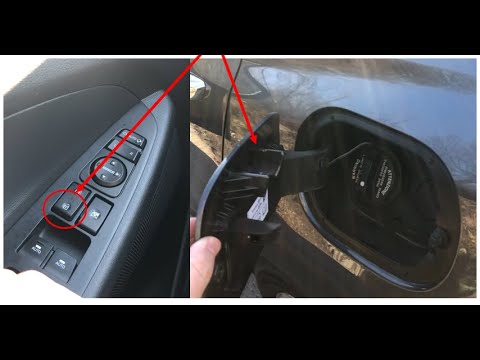
The 2020 Hyundai Tucson has two methods for opening the fuel filler flap. Both methods can only be used if the key has been removed from the ignition and the engine is off. The first method involves removing the key from the ignition and keeping all the car locks open, then go to the flap and press it. This will open the flap. The second method is to stay in the car, remove the key from the ignition, and then press the fuel filler release button located on the left door. by ScegliAuto More videos
|
|
For advertising on this site Write to info@scegliauto.com
ScegliAuto is not responsible for any inaccuracy of the data in the lists. To report any inaccuracy or your business (if you own the business in question), please write to info@scegliauto.com
Number of seconds to generate the page: 0.184
(c) ScegliAuto 2026 - info@scegliauto.com - Privacy policy VAT number: IT01247470535 |
