
|
Do it yourself
| |||
| ||||


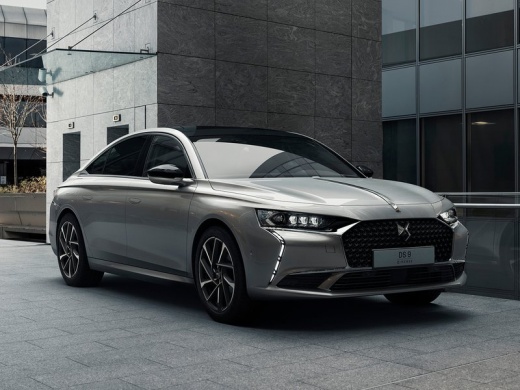
How to Reset the Service Light on a DS 9
Model: DS DS 9
MK 1
- Years:
2022, 2023, 2024, 2025, 2026
Video tutorial
Today, we will explain how to reset the maintenance light on a 2022 DS 9 vehicle. With the ignition off, press the button on the left lever of the vehicle while starting the ignition of the instrument cluster. Keep the button pressed to automatically reset the light and the mileage for the next service. If the light does not reset, you will need to go to a workshop for a computer diagnosis. The service light should only be reset after completing the service operations; it is important not to perform this procedure beforehand as it may cause damage to the control unit, interfering with future service resets.
Posted on 15 June 2026 by ScegliAuto
Related tutorials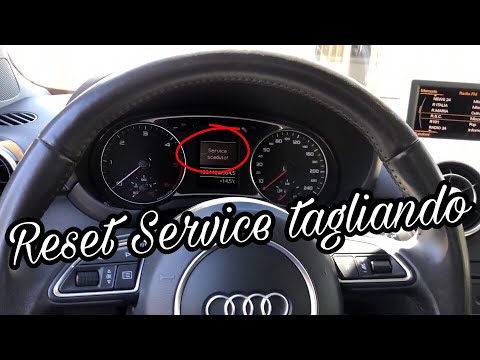
Audi A1
(2010-2018 /
8X, MK 1)
In today's tutorial, you will learn how to reset the service light for routine maintenance on an Audi A1. First, get inside the vehicle and reset the…

Toyota Camry
(2018-2024 /
Xv70)
Today, you will learn how to reset the service light on a 2023 Toyota Camry. To reset the light, press the Menu button on the steering wheel to acces…

Mercedes Classe E
(2002-2009 /
W211)
Today, you will learn how to reset the service light for a 2004 Mercedes E-Class. The light should only be reset after completing the service procedu…
Other guides you may be interested in
|
Where are the fuses located on the Renault Laguna?
On the Renault Laguna, the fuses are located inside the fuse boxes installed in the vehicle: in this car model, you will find two boxes for containing the fuses. The first is in the fuse box on the left side of the dashboard, accessible by opening the driver's door: here you will find the fuses for the windscreen wipers, fog lights, horn, etc. The second box is located on the right side of the engine compartment: here you will find the fuses for the dipped headlights, radiator fan, alternator, etc. by ScegliAuto More videos
|
|
For advertising on this site Write to info@scegliauto.com
ScegliAuto is not responsible for any inaccuracy of the data in the lists. To report any inaccuracy or your business (if you own the business in question), please write to info@scegliauto.com
Number of seconds to generate the page: 0.022
(c) ScegliAuto 2026 - info@scegliauto.com - Privacy policy VAT number: IT01247470535 |
