
|
Do it yourself
| |||
| ||||


|
Video tutorial
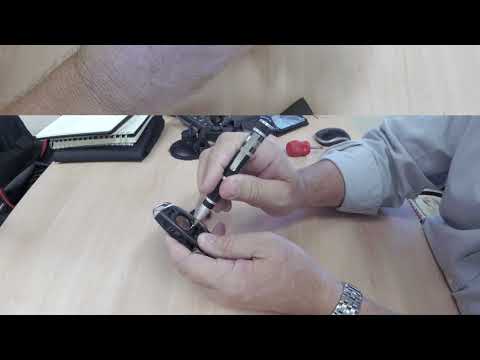
In today's tutorial, we will see how to disassemble and replace, in simple steps, the battery of the remote key for a Citroen DS4. First, take your remote and use something very thin to pry open the sides to remove the rear cover and access the battery compartment; then remove the old battery and replace it with the new one of the correct type (in this case, a CR 2032 3V). All that remains is to insert it the right way round and reassemble the rear cover of the remote, following the tutorial video to the end!
Updated on 4 April 2026 by ScegliAuto
Related tutorials
DS DS 4
(2011-2018 /
MK 1)
In this video tutorial, you will learn how to disassemble and replace the battery of the key fob for a Citroen DS4. First, take your key fob and pry …

DS DS 4
(2011-2018 /
MK 1)
We want to take care of replacing the battery of the key/remote of our Citroen DS4 ourselves? Nothing could be simpler, in a very short time and with…
DS DS 4
(2011-2018 /
MK 1)
In this tutorial, you will see how to replace the remote battery on a Citroen DS4, an extremely simple and quick operation. You will need a small fla…
Other guides you may be interested in
|
How to Remove the Telepass from the Windscreen?
To remove the Telepass from the car's windscreen, use a very thin wire. Insert it between the device's attachment and the windscreen itself: the Telepass is fixed to the inner part of the windscreen using adhesive. Once the wire is inserted, move it laterally and vertically to ensure the adhesive is consumed. When the adhesive has been consumed, you can completely detach the Telepass from its housing and then clean the area. by ScegliAuto More videos
|
|
For advertising on this site Write to info@scegliauto.com
ScegliAuto is not responsible for any inaccuracy of the data in the lists. To report any inaccuracy or your business (if you own the business in question), please write to info@scegliauto.com
Number of seconds to generate the page: 0.198
(c) ScegliAuto 2026 - info@scegliauto.com - Privacy policy VAT number: IT01247470535 |
