
|
Do it yourself
| |||
| ||||


|
Model: Enfield Meteor 350
This guide provides instructions for removing and replacing the clutch cable on the Royal Enfield Meteor 350 motorcycle. First, place the bike on its centre stand and disconnect the clutch cable from the clutch cover by unscrewing the adjuster screw. Once disconnected, remove the clutch cable from the lever as shown in the video. At this point, remove the cable along with the sheath and replace it with the new one. Install everything correctly and adjust both at the lever and the adjuster!
Updated on 2 July 2026 by ScegliAuto
Video tutorial
Related tutorials
Meteor 350
In today's video tutorial, see how to remove and replace the brake and clutch levers on the Royal Enfield Meteor 350 by following these simple steps.…

Meteor 350
In order to replace the clutch of the Royal Enfield Meteor 350, you need to loosen the screws that fix the casing inside which the clutch will be loc…
Meteor 350
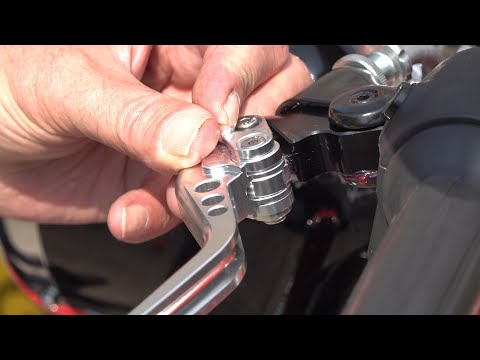
To replace the levers on the Royal Enfield Meteor 350, loosen the nuts located at the pins that secure the brake and clutch levers. Once these nuts a…
|
How to Remove the Final Drive from a BMW R 1200 GS?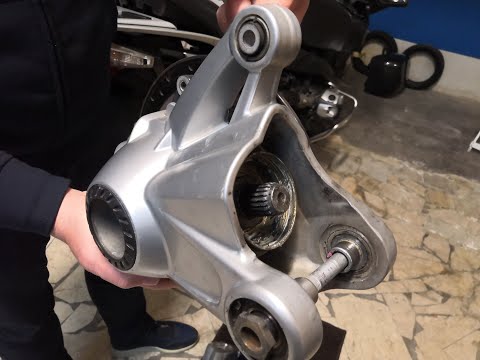
To remove the final drive from a BMW R 1200 GS, loosen the bolts securing the exhaust so it can be removed along with the rear wheel. The rear wheel will also be removed by unscrewing the five bolts that secure it to the swingarm. Next, detach the brake caliper by unscrewing the mounting bolts and remove the rear part of the swingarm. Inside, you will find the final drive, which should be extracted and replaced with a new spare part; after replacement, reassemble all previously removed components. by ScegliAuto More videos
|
|
For advertising on this site Write to info@scegliauto.com
ScegliAuto is not responsible for any inaccuracy of the data in the lists. To report any inaccuracy or your business (if you own the business in question), please write to info@scegliauto.com
Number of seconds to generate the page: 0.021
(c) ScegliAuto 2026 - info@scegliauto.com - Privacy policy VAT number: IT01247470535 |
