
|
Do it yourself
| |||
| ||||


|
Model: Enfield Meteor 350
To replace the front brake pads on the Royal Enfield Meteor 350, loosen the screws that secure the brake caliper to the corresponding disc, allowing you to completely detach the caliper from its housing. Once the caliper is removed from the disc, you can slide out the existing pads and insert the new ones. After the new pads are in place, secure the caliper back onto the disc with the appropriate screws, ensuring that the front brake functions correctly.
Updated on 25 August 2026 by ScegliAuto
Video tutorial
Related tutorials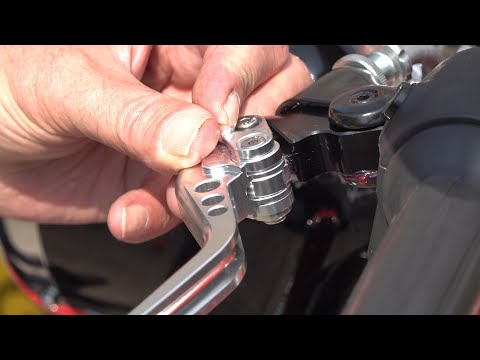
Meteor 350
To replace the levers on the Royal Enfield Meteor 350, loosen the nuts located at the pins that secure the brake and clutch levers. Once these nuts a…

Meteor 350
To replace the fuses on the Royal Enfield Meteor 350, insert the key into the lock located beneath the panel on the left side of the bike. This will …

Meteor 350
You can replace the front indicator bulb on the Royal Enfield Meteor 350 by loosening the screw located at the back of the corresponding side light: …
|
Replacing the Rear Light on a Harley Davidson Street Glide
In today's tutorial video, we will see how to remove and replace the rear light on a Harley Davidson Street Glide in simple and quick steps. First, place your bike on a stand and move to the rear; then use a socket and spanner to unscrew and remove the nuts found inside the wheel arch, at the height of the rear light, as shown in the video. At this point, disconnect the electrical connector to remove and replace the light with the new one; then reassemble everything, applying the reverse procedure! by ScegliAuto More videos
|
|
For advertising on this site Write to info@scegliauto.com
ScegliAuto is not responsible for any inaccuracy of the data in the lists. To report any inaccuracy or your business (if you own the business in question), please write to info@scegliauto.com
Number of seconds to generate the page: 0.006
(c) ScegliAuto 2026 - info@scegliauto.com - Privacy policy VAT number: IT01247470535 |
