
|
Do it yourself
| |||
| ||||


How do you replace the rear taillight bulb of a Fiat Ducato camper?
Model: Fiat Ducato
X250
- Years 2006-2014
The help that is offered in this video, both visually and verbally, as it is the same protagonist explaining step by step how to do the work, is related to the replacement of one or more bulbs in the rear light. We know well that these, after a certain number of years, stop working and therefore need to be replaced. For an intervention of this type, it is possible to avoid going to the workshop, in fact, it is sufficient to have a star screwdriver and proceed to unscrew the outer plastic cover, in order to immediately reach the bulbs, stop, turn signal, etc. and proceed with the replacement.
Posted on 20 December 2024 by ScegliAuto
Video tutorial
Related tutorials
Fiat Ducato
(2014-2026 /
X290)
In this guide, you will see the instructions necessary to remove and replace the rear light and its bulbs on the Fiat Ducato. First, open the rear do…

Fiat Ducato
(2014-2026 /
X290)
In this video we can see how to remedy the problem of the service battery not charging enough to power all the appliances in a Fiat Ducato camper. We…

Fiat Ducato
(2006-2014 /
X250)
Today we will explain how to replace the side indicator light bulb of the Fiat Ducato. To perform the replacement of the bulb, we need to open the fr…
Other guides you may be interested in
|
Where is the Fuel Filter Located in a Volvo XC60?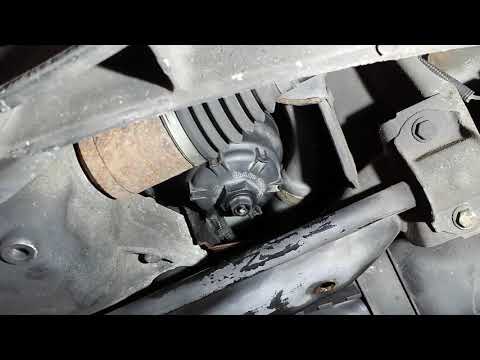
In this video, you will see where the fuel filter is located in a Volvo XC60 and how to proceed if you need to replace it. As shown, the filter is positioned at the lower part of the engine, right between the left half-shaft and the sway bar attachment. To replace the filter, first, go underneath the vehicle, taking all necessary safety precautions. Then, using an 18mm wrench, open the drain valve and allow any water present to escape. Next, unscrew the housing, remove the old filter, insert the replacement along with a new gasket, and reassemble everything. by ScegliAuto More videos
|
|
For advertising on this site Write to info@scegliauto.com
ScegliAuto is not responsible for any inaccuracy of the data in the lists. To report any inaccuracy or your business (if you own the business in question), please write to info@scegliauto.com
Number of seconds to generate the page: 1.802
(c) ScegliAuto 2026 - info@scegliauto.com - Privacy policy VAT number: IT01247470535 |
