
|
Do it yourself
| |||
| ||||


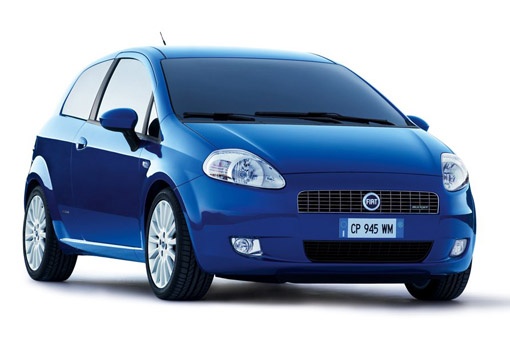
How to Remove the Front Headlights of the Fiat Grande Punto
Model: Fiat Punto
199, MK 3, Grandepunto , Punto EVO
- Years:
2005, 2006, 2007, 2008, 2009, 2010, 2011, 2012, 2013, 2014, 2015, 2016
Video tutorial
Follow these tips to remove the headlight units from the Punto. First, remove the front bumper to access the headlights. You will need a cross-head screwdriver and a Torx T27 key, possibly some penetrating oil, and a 10mm socket. Use the Torx key to remove the four screws on top and the other four underneath the car, and keep them safe. Now, by turning the wheels, unscrew three screws using the screwdriver and one with the Torx key, and loosen the wheel arch liner on both sides. Now, unclip the bumper and disconnect the indicators and fog light connectors. Behind the headlight, you will find a cable to separate from the headlight unit by lowering the tab and pulling. Using a 10mm socket, remove the three bolts of the headlight, two on top and one underneath.
Updated on 9 March 2026 by ScegliAuto
Related tutorials
Fiat Punto
(2005-2018 /
199, MK 3, Grandepunto , Punto EVO)
In today's video, see how to remove the front bumper and the two headlights on the Fiat Grande Punto. First, position the vehicle on level ground and…

Fiat Punto
(2005-2018 /
199, MK 3, Grandepunto , Punto EVO)
In this video tutorial, you will learn how to polish and restore the clarity of the front headlights on the Fiat Grande Punto and Punto Evo; this pro…
Fiat Punto
(2005-2018 /
199, MK 3, Grandepunto , Punto EVO)
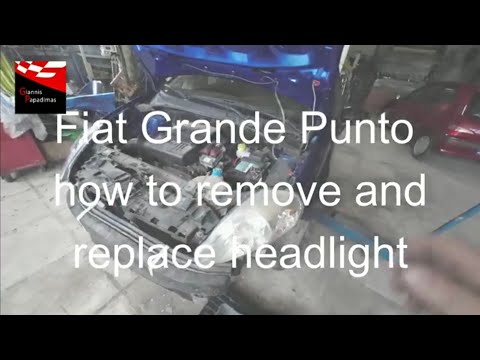
In this tutorial, you will see how to remove the front headlights on the Fiat Grande Punto, a very simple and quick operation. First, ensure the key …
Other guides you may be interested in
|
How to Reset the Tire Pressure Light on a MG ZS?
On the instrument cluster of the MG ZS, the tire pressure light that appears can be reset by inflating the tires to the correct pressure: this value will be indicated on the sticker attached to the driver's door pillar. Once the tires have been properly inflated, you can turn on the instrument cluster and navigate through the menu until you find the option that indicates tire pressure: if this screen shows the new values, the light will turn off; otherwise, you will need to drive for a few miles so that the sensors can read the new values and turn off the light afterward. by ScegliAuto More videos
|
|
For advertising on this site Write to info@scegliauto.com
ScegliAuto is not responsible for any inaccuracy of the data in the lists. To report any inaccuracy or your business (if you own the business in question), please write to info@scegliauto.com
Number of seconds to generate the page: 0.225
(c) ScegliAuto 2026 - info@scegliauto.com - Privacy policy VAT number: IT01247470535 |
