
|
Do it yourself
| |||
| ||||


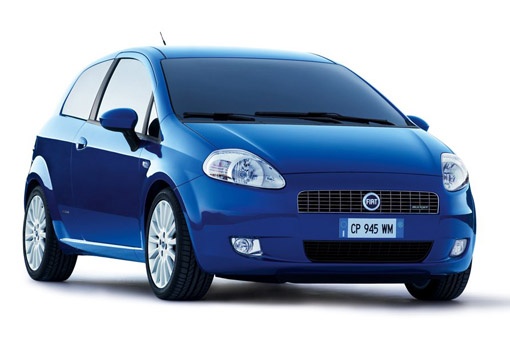
How to Remove the Radio from a Fiat Grande Punto?
Model: Fiat Punto
199, MK 3, Grandepunto , Punto EVO
- Years:
2005, 2006, 2007, 2008, 2009, 2010, 2011, 2012, 2013, 2014, 2015, 2016
Video tutorial
Removing the radio from a Fiat Grande Punto is a very simple operation; see how to proceed in this tutorial. To do this, you need two special keys that can be easily found online. Alternatively, you can try using equivalent tools such as small screwdrivers or Allen keys. Once the two keys are fully inserted into the side holes, pull the entire radio towards you; it will come out easily. Then disconnect the rear connectors and proceed to install the new radio according to the specific model's instructions.
Updated on 3 May 2026 by ScegliAuto
Related tutorials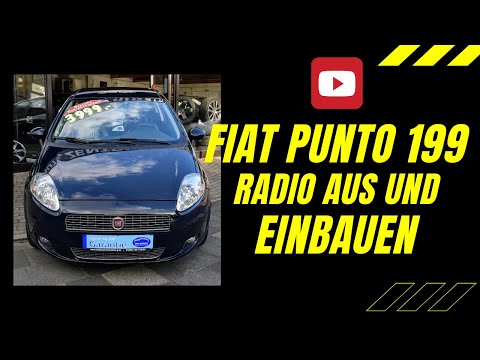
Fiat Punto
(2005-2018 /
199, MK 3, Grandepunto , Punto EVO)
Today, learn how to remove the car radio from a Fiat Grande Punto (199). This operation is really simple; you just need to have the radio release key…

Fiat Punto
(2005-2018 /
199, MK 3, Grandepunto , Punto EVO)
How to remove an original car radio from a Fiat Grande Punto? Carefully follow these steps to dismantle the radio. Use the original or aftermarket me…
Fiat Punto
(2005-2018 /
199, MK 3, Grandepunto , Punto EVO)
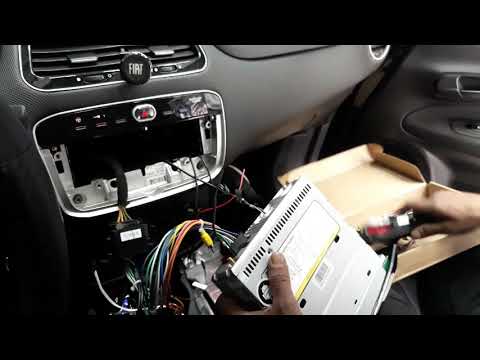
Want to remove the car radio from a Grande Punto? Use the original or aftermarket metal keys to remove the car radio. Insert the keys into the slots …
Other guides you may be interested in |
How to open the boot if it is stuck on a Mercedes B-Class?
On the Mercedes B-Class, the boot may become stuck, possibly due to a problem with the control button or the lock actuator. In this case, perform the emergency opening by following the simple procedure shown in this tutorial. First, unlock the locks with the remote control, then open the rear doors and, by operating the indicated lever, lower the backrest of the seat. Next, go inside the boot, locate the indicated gap, and manually unlock the lock using a small screwdriver. by ScegliAuto More videos
|
|
For advertising on this site Write to info@scegliauto.com
ScegliAuto is not responsible for any inaccuracy of the data in the lists. To report any inaccuracy or your business (if you own the business in question), please write to info@scegliauto.com
Number of seconds to generate the page: 0.068
(c) ScegliAuto 2026 - info@scegliauto.com - Privacy policy VAT number: IT01247470535 |
