
|
Do it yourself
| |||
| ||||


How to Reset the Service Light on a Fiat Stilo?
Model: Fiat Stilo
MK 1
- Years 2001-2010
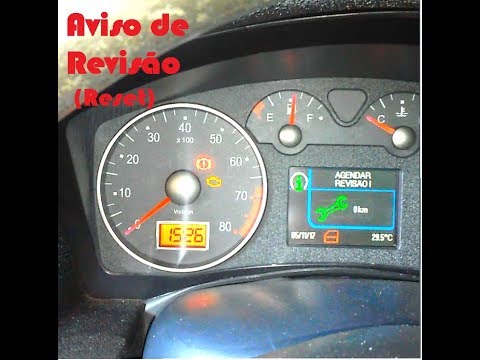
After completing the scheduled maintenance service as per the manufacturer's guidelines, it is necessary to reset the service light that appears on the instrument panel. This update can be performed using an OBD interface connected to the diagnostic socket and a PC. Open the program and select the type of vehicle, turn on the ignition, and select the 'service interval reset' option. Then select the three flags related to the service reset, choose the 'correct' page, and click 'OK'. Wait for the system update to complete, and then turn off the ignition. To verify, turn the ignition back on and check that the service light has been reset.
Updated on 19 May 2026 by ScegliAuto
Video tutorial
Related tutorials
Fiat Stilo
(2001-2010 /
MK 1)
If you don't yet know where the box containing all the various fuses of your Fiat Stilo is located, don't worry because in the following mini guide y…

Fiat Stilo
(2001-2010 /
MK 1)
To find the OBD port of your Fiat Stilo, it only takes a few seconds. All you have to do is carefully read the following guide and then follow the va…
Fiat Stilo
(2001-2010 /
MK 1)
To reset the Service light on the Fiat Stilo, there is no procedure that can be performed by scrolling through the menu on the instrument cluster; th…
Other guides you may be interested in |
How to reset the tyre pressure warning light on the Suzuki Jimny?
To reset the tyre pressure warning light on the Suzuki Jimny, first inflate the tyres to the pressure value indicated on the corresponding sticker: this is located at the bottom of the driver's door pillar. Once the tyres are inflated, insert the ignition key and turn on the instrument panel: select the screen that indicates the tyre pressures, checking that the values change. After a few seconds, the tyre pressure warning light will automatically turn off. by ScegliAuto More videos
|
For advertising on this site Write to info@scegliauto.com
ScegliAuto is not responsible for any inaccuracy of the data in the lists. To report any inaccuracy or your business (if you own the business in question), please write to info@scegliauto.com
Number of seconds to generate the page: 0.107
(c) ScegliAuto 2026 - info@scegliauto.com - Privacy policy VAT number: IT01247470535 |
