
|
Do it yourself
| |||
| ||||


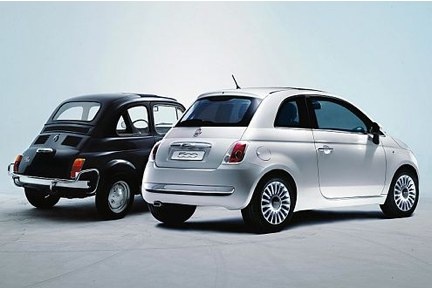
How to Connect a Bluetooth Mobile Phone to the Fiat 500
Model: Fiat 500
- Years:
2007, 2008, 2009, 2010, 2011, 2012, 2013, 2014, 2015, 2016, 2017, 2018
Video tutorial
To connect a Bluetooth mobile phone to the Fiat 500 (only when the car is stationary), first, turn on the ignition. If the Uconnect system does not turn on automatically, press the power button to activate it. Press the "phone" button, and the display will show that the system is searching for Bluetooth devices. Click on "settings" on the display to see all registered devices that are not connected because they are not near the system. To pair a mobile phone with iOS, go to the phone's settings, select Bluetooth, and turn it on. Once Bluetooth is activated on the phone, add the device to the car by clicking on the "add device" button on the display. You will notice that the phone has found the Uconnect system; click on the system name. A prompt will appear asking you to confirm the device pairing; confirm by pressing "yes". Also, click "enable" on the phone (if you want to sync your contacts, click "allow" so you can make/receive calls directly from the system). Now the phone is paired, and the top of the display will show the network signal or battery status. By pressing the "media" button, you can listen to music from the phone. To delete the device from the car system, press the "phone" button, then click on "settings", select the device you want to remove, choose "delete", confirm, and you will see that the device will be removed. The same procedure applies to devices with Android operating systems.
Updated on 11 June 2026 by ScegliAuto
Related tutorials
Fiat 500
(2007-2024 /
312)
In this guide, connect your mobile phone to the hands-free system via Bluetooth using the Fiat 500's controls. First, turn on the ignition. Use the b…

Fiat 500
(2007-2024 /
312)
To connect your phone to the Bluetooth in the Fiat 500, follow the instructions in the video: press the "phone/bluetooth" button on the touchscreen o…

Fiat 500
(2012-2023 /
500 L)
Let’s see how to connect Bluetooth on a Fiat 500, pairing it with your mobile phone. First, turn on Bluetooth on your phone, then press the phone but…
Other guides you may be interested in |
Frequently Asked QuestionsHow to Remove the Toll Tag Holder from the Car Windscreen
The toll tag holder is usually attached to the car windscreen to ensure that the toll tag functions immediately when passing through barriers. However, if you decide to remove the holder, you should follow this procedure: - Insert the toll tag into the holder; - Pull the holder inwards to detach it from the windscreen; you can use a glass scraper or a stiff plastic card to assist you; After removing the holder, it is essential to remove the adhesive from the windscreen. To remove the adhesive, we recommend using a solvent-based spray that will remove the glue without clouding the area. by ScegliAuto More videos
|
|
For advertising on this site Write to info@scegliauto.com
ScegliAuto is not responsible for any inaccuracy of the data in the lists. To report any inaccuracy or your business (if you own the business in question), please write to info@scegliauto.com
Number of seconds to generate the page: 0.060
(c) ScegliAuto 2026 - info@scegliauto.com - Privacy policy VAT number: IT01247470535 |
