
|
Do it yourself
| |||
| ||||


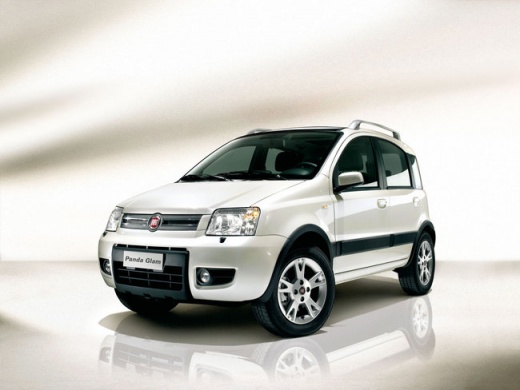
How to Replace the Wiper Blades on a Fiat Panda?
Model: Fiat Panda
169, MK 2
- Years:
2003, 2004, 2005, 2006, 2007, 2008, 2009, 2010, 2011, 2012
Video tutorial
Replacing the wiper blades on a Fiat Panda is a very simple and quick task. First, switch off the vehicle and position the wipers in the rest position. Next, lift the front wiper blade, rotate it 90 degrees, and push it down parallel to the arm. To install the new blade, insert it and secure it to the hook by pulling it upwards until you hear a click. Repeat this process for the second blade, then move to the rear wiper, where you simply need to unclip and reclip the blade from the two side pins.
Updated on 12 June 2026 by ScegliAuto
Related tutorials
Fiat Panda
(2003-2012 /
169, MK 2)
Let's see how to replace the front wiper blades on a Fiat Panda. Grasp the front wiper with your hands, gently pull the movable wiper (without breaki…

Fiat Panda
(2003-2012 /
169, MK 2)
How to replace the front wiper blades on a Fiat Panda? Take the front wiper blade (to be replaced) and gently pull the movable wiper arm (without bre…

Fiat Panda
(2003-2012 /
169, MK 2)
Lift the wipers off the windscreen and unclip the blades from the arms as clearly shown in the video. To do this, once the wiper is lifted, open the …
Other guides you may be interested in |
How to Reset the Tyre Pressure Warning Light on the Jeep Renegade?
To reset the tyre pressure warning light on the Jeep Renegade, inflate the tyres until they reach the recommended pressure: this value is indicated on the sticker attached to the driver’s door pillar. Once the tyres are properly inflated, navigate through the menu that appears on the instrument cluster until you find the tyre pressure option. At this point, press and hold the OK button on the right side of the steering wheel to make the warning light disappear. by ScegliAuto More videos
|
|
For advertising on this site Write to info@scegliauto.com
ScegliAuto is not responsible for any inaccuracy of the data in the lists. To report any inaccuracy or your business (if you own the business in question), please write to info@scegliauto.com
Number of seconds to generate the page: 0.019
(c) ScegliAuto 2026 - info@scegliauto.com - Privacy policy VAT number: IT01247470535 |
