
|
Do it yourself
| |||
| ||||


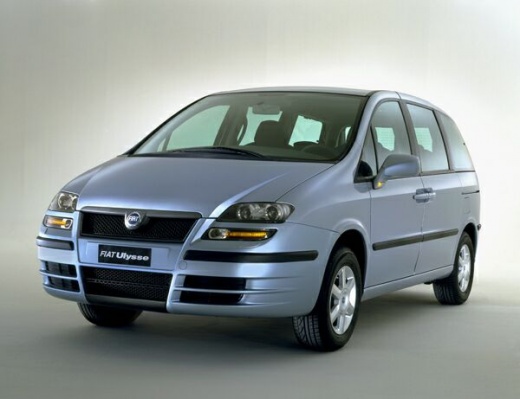
How to Adjust the Clock on a Fiat Ulysse
Model: Fiat Ulysse
MK 2
- Years:
2002, 2003, 2004, 2005, 2006, 2007, 2008, 2009, 2010
Video tutorial
To change the time on the vehicle, locate the "ok", "down arrow", and "up arrow" buttons on the right side of the radio. First, press "ok" and scroll with the up and down arrows until you highlight "customisation settings". Then press "ok" again and highlight the "display configuration" option. Press the "ok" button once more and highlight the "set date and time" option. At this point, you can modify the time using the arrow buttons. Follow the same procedure to change and save the minutes.
Updated on 23 June 2026 by ScegliAuto
Related tutorials
Fiat Ulysse
(2002-2010 /
MK 2)
The video accompanying this article shows the complete fuse diagram for a Fiat Ulysse. The fuse box is located inside the glove compartment, on the r…

Fiat Ulysse
(2002-2010 /
MK 2)
In this short tutorial, you will see how to open the bonnet on the Fiat Ulysse, a very simple operation that follows the standard procedure, except f…

Fiat Ulysse
(2002-2010 /
MK 2)
To replace the battery of the remote for generic Fiat cars (including the Fiat Ulysse), you need to access the battery housing. To perform this opera…
Other guides you may be interested in |
How to Reset the Tyre Pressure Warning Light on the Jeep Renegade?
To reset the tyre pressure warning light on the Jeep Renegade, inflate the tyres until they reach the recommended pressure: this value is indicated on the sticker attached to the driver’s door pillar. Once the tyres are properly inflated, navigate through the menu that appears on the instrument cluster until you find the tyre pressure option. At this point, press and hold the OK button on the right side of the steering wheel to make the warning light disappear. by ScegliAuto More videos
|
|
For advertising on this site Write to info@scegliauto.com
ScegliAuto is not responsible for any inaccuracy of the data in the lists. To report any inaccuracy or your business (if you own the business in question), please write to info@scegliauto.com
Number of seconds to generate the page: 0.051
(c) ScegliAuto 2026 - info@scegliauto.com - Privacy policy VAT number: IT01247470535 |
