
|
Do it yourself
| |||
| ||||


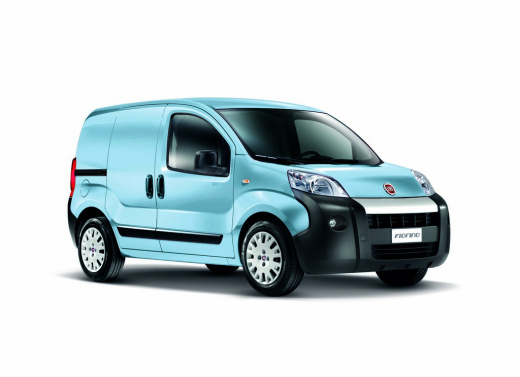
How to Change the Time on the Fiat Fiorino
Model: Fiat Fiorino
MK 3
- Years:
2007, 2008, 2009, 2010, 2011, 2012, 2013, 2014, 2015, 2016, 2017, 2018
Video tutorial
To change the time on the vehicle, follow these simple instructions: enter the cabin and sit in the driver's seat. In the centre of the dashboard on the left side, you will find controls, including the "menu" button and the "+" and "-" buttons. Press the "menu" button to access the various functions of the onboard computer and scroll using the "+" button until you select the "set time" option. At this point, press the "menu" button again to modify the time, and adjust the hour using the "+" or "-" buttons. Once the new time is set correctly, press the "menu" button again.
Updated on 24 June 2026 by ScegliAuto
Related tutorials
Fiat Fiorino
(2007-2026 /
MK 3)
In the following article, we will show you how to change the time on the 2023 Fiat Fiorino. To perform this procedure, it takes less than 1 minute an…

Fiat Fiorino
(2007-2026 /
MK 3)
This brief video tutorial shows the steps necessary to adjust the time on the onboard computer of a third-generation Fiat Fiorino. Start by turning o…
Fiat Fiorino
(2007-2026 /
MK 3)
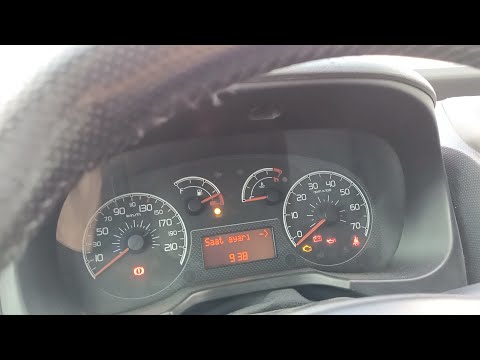
Today's step-by-step instructions show you how to adjust the date and time on the Fiat Fiorino, as well as the Peugeot Bipper and Citroen Nemo. First…
Other guides you may be interested in
|
How to open the fuel flap of the Toyota Aygo?
The fuel flap of the Toyota Aygo can be opened by pulling the dedicated button located on the dashboard, on the left side of the steering column: this button should now be pulled upwards. This will unlock the mechanism that allows the flap to close, making it possible to open the fuel flap. You can then unscrew the cap underneath and refuel: after refuelling, reposition the cap and close the flap again. by ScegliAuto More videos
|
|
For advertising on this site Write to info@scegliauto.com
ScegliAuto is not responsible for any inaccuracy of the data in the lists. To report any inaccuracy or your business (if you own the business in question), please write to info@scegliauto.com
Number of seconds to generate the page: 0.054
(c) ScegliAuto 2026 - info@scegliauto.com - Privacy policy VAT number: IT01247470535 |
